LyEve Console
Run your content from the browser.
The browser app your team works in: write and publish content, manage users and roles, and configure the engine.
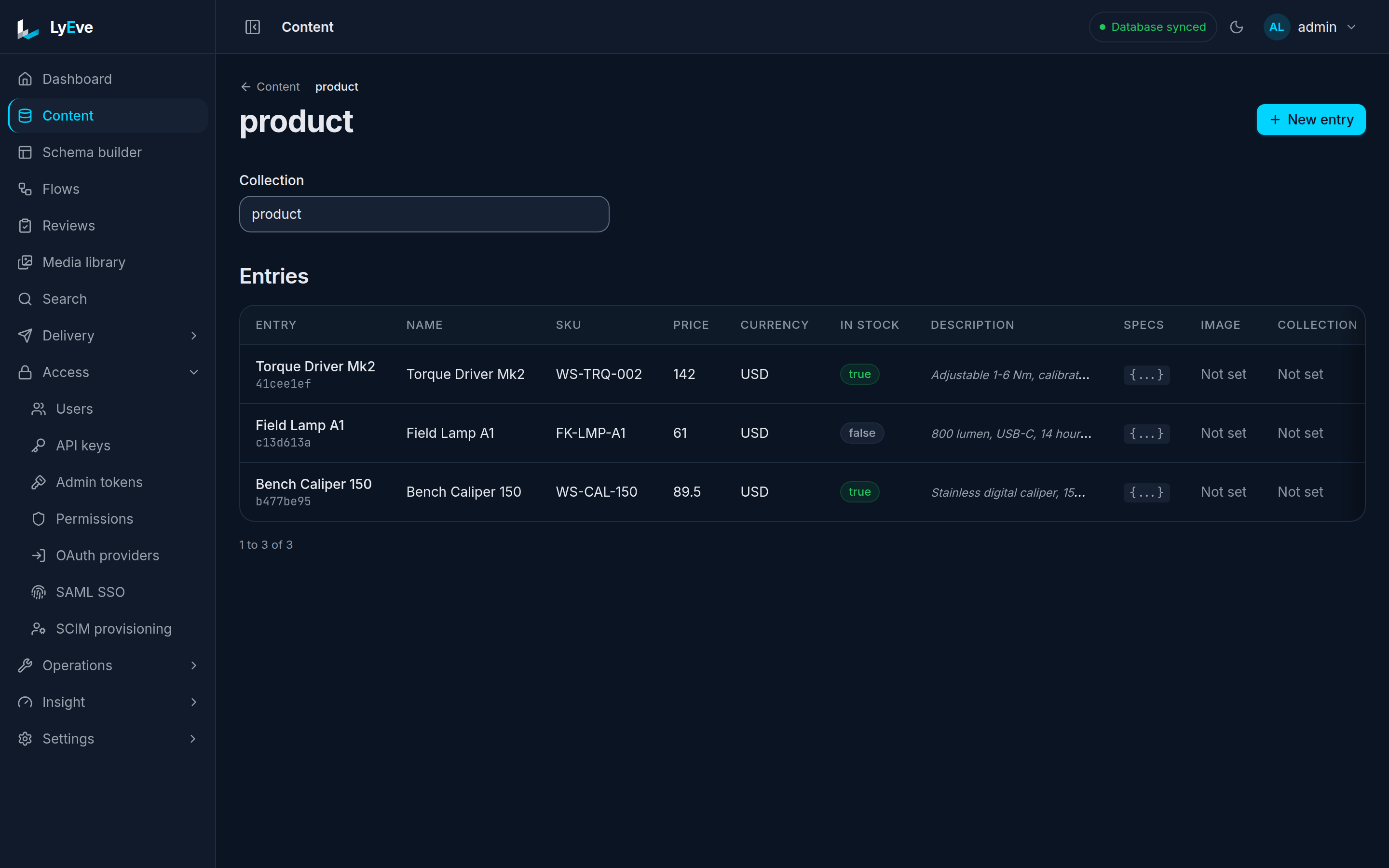
What it does
Your whole team works in one place.
-
Publish without code
Your editors write in a rich text editor, keep files in a media library and publish from the browser, with no API to learn.
-
Decide who can do what
Add users, assign roles and issue API keys with their own rate limits, all from one place.
-
Nothing new to secure
The console stores no data of its own. Every page loads from your engine, which authorizes each request.
How it fits
How the products fit together.
Every change your team makes in the console goes through the API of LyEve Core and lands in your database, the same way your own apps reach it.
- This page
LyEve Console
The browser app your team works in: write and publish content, manage users and roles, and configure the engine.
-
LyEve Core
The engine. It stores your content, accounts and tenants on PostgreSQL, MySQL or SQL Server and serves them over an API. MIT licensed.
-
Your database
PostgreSQL, MySQL or SQL Server, on your own server or a managed service. You provide it, and you keep it.
Capabilities
Every part of the engine, in one app.
-
Content
Define content types, write and publish entries, keep files in the media library and set how search results rank.
-
Access
Add users and assign roles. Issue API keys, manage admin tokens and tenants, and handle privacy requests.
-
Flows and webhooks
Draw a flow on the canvas, test it step by step, then switch it on. Set up webhooks beside it.
-
Operations
Follow scheduled jobs and their run history, live logs, analytics and health. The audit log comes with the Audit Plus add-on.
-
API reference
Try every endpoint against your own engine from the built-in API reference.
-
Settings and license
Configure the engine and activate your license key. The screens for a paid capability appear once your license turns it on.
Get started
Start in three steps.
-
Start LyEve Core
Run the engine on your database first. The console works through its API.
See LyEve Core -
Run the console beside it
Pull the image and put the engine and the console behind one address. One Compose file starts both with a database.
Run them togetherghcr.io/lyeve-labs/lyeve-console -
Create the first administrator
A new install opens the setup page. Enter the setup token, then the first administrator's email address and password.
Start the engine and the console together.
One Compose file starts the engine, the console and a database on your computer. After that, everything happens in the browser.