This page is for anyone new to LyEve. It says what LyEve is, who it suits, what costs nothing and what is paid, where the docs are, and how to start it in one command.
What LyEve is
LyEve is a self-hosted headless CMS written in Go. You run it on your own servers against PostgreSQL, MySQL or SQL Server, and your sites and apps read and write content through its APIs.
It ships as two container images. The engine stores your content and accounts in your database and answers two HTTP APIs, one to manage the instance and one to read and write content. The admin console is where editors write and administrators configure. The engine image carries 51 plugins.
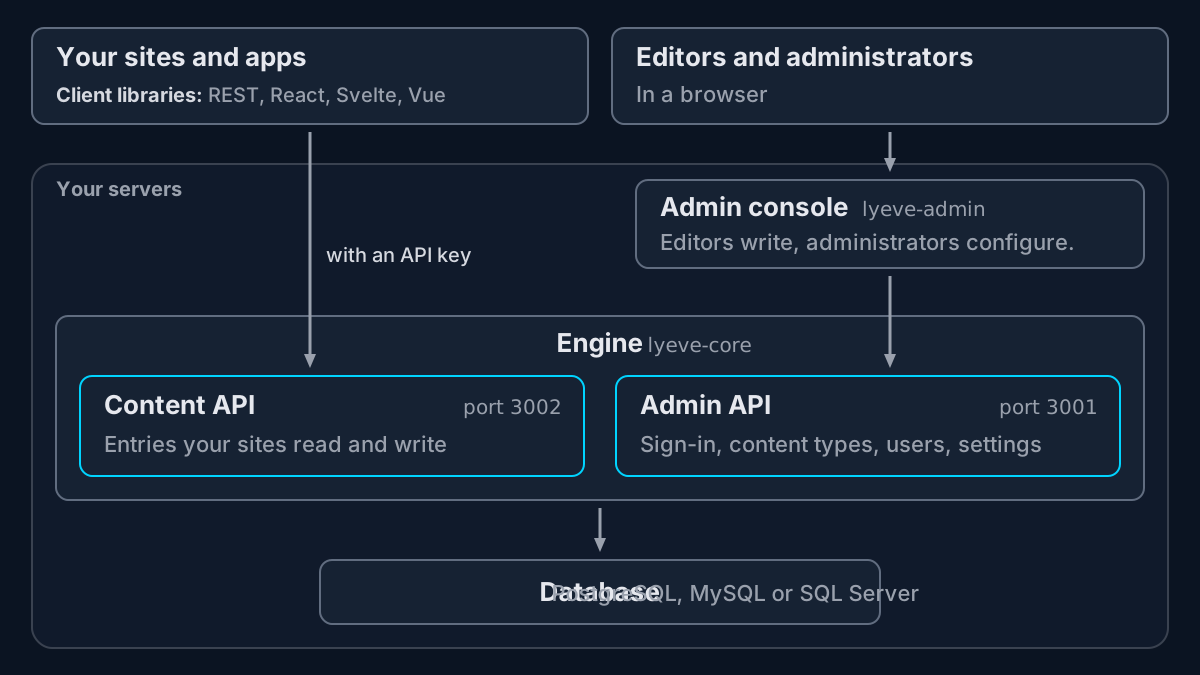 Two images run on your servers: the engine, with its two APIs, and the admin console.
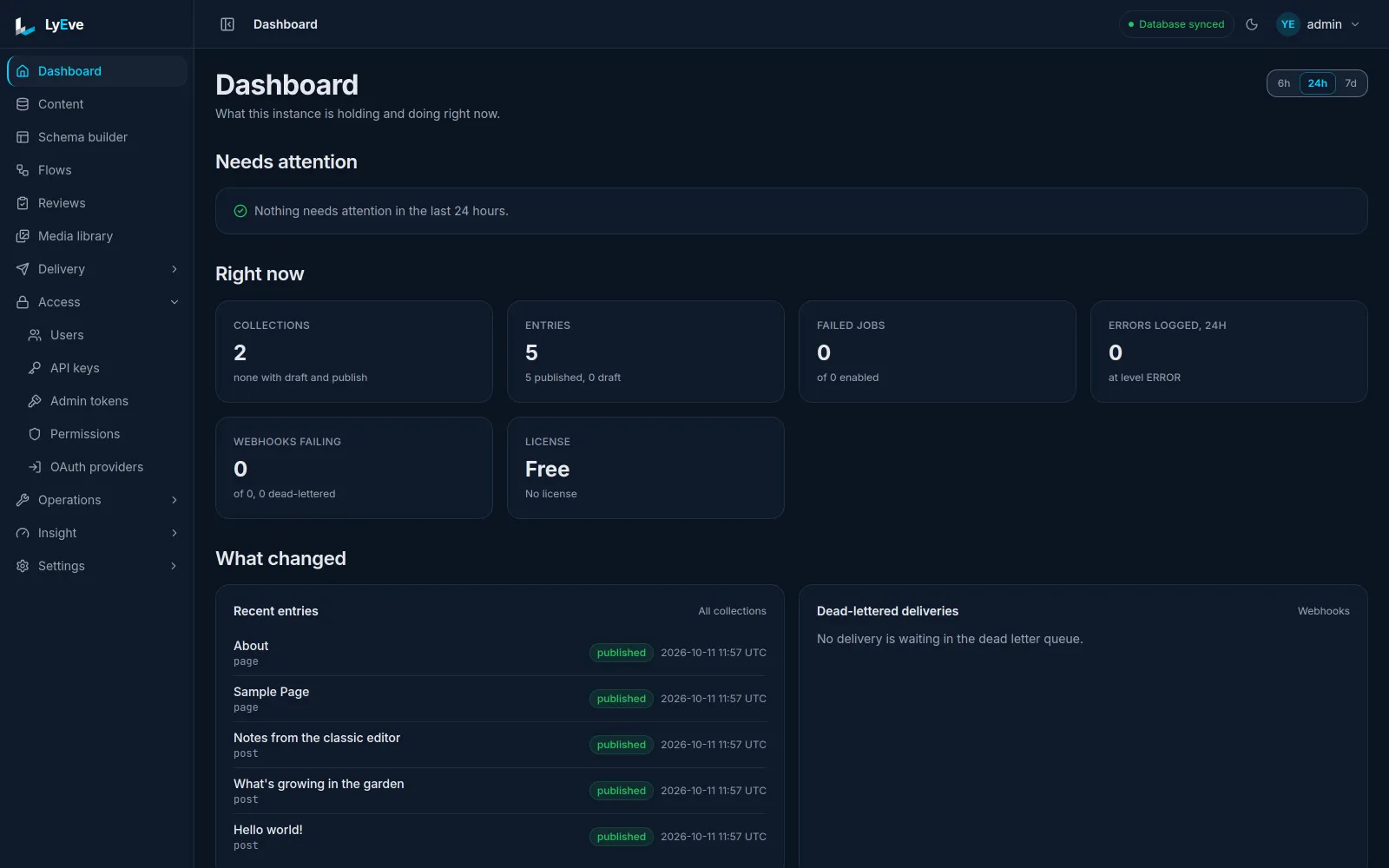 The admin console's dashboard, with what the instance holds and what it is doing.
Who it is for
- Developers who build sites and apps on content and want it as JSON over an API.
- Operators who run the instance on their own servers, beside a database they already run.
- Editors who write, review and publish in the admin console.
- Teams with several brands or clients that want one content store behind all of them. More than one tenant needs Enterprise, and the tenants page shows how it works.
What costs nothing
- The core CMS: content types and entries, drafts and revisions, users and roles, sign-in, and both APIs, on PostgreSQL, MySQL and SQL Server.
- 31 of the 51 plugins in the image, which start with no license key.
- A free install has limits. Any license lifts the admin accounts, and a paid add-on lifts each of the others:
- each install: one tenant, three roles and three admin accounts
- each tenant: twenty flows on the nodes that stay inside the instance, 25 webhook endpoints, five API keys with thirty days of request log, and two languages
- There is no trial. The free tier is how you try LyEve.
The engine and the admin console are MIT licensed. Three parts are commercial: license verification in the engine image, every plugin (the free ones included, under the Plugin EULA, free of charge and not open source), and the visual flow and schema editors in the admin image.
What is paid
Paid features come as add-ons or inside a plan:
- Add-ons. 46 add-ons, from $2 to $18 a month each, bought one at a time. Three or more in one cart take 15 percent off, and six or more take 25 percent.
- Plans. Starter is $4 a month, Pro $15, Growth $39 and Enterprise $119. A year is ten months for twelve: $40, $150, $390 and $1,190.
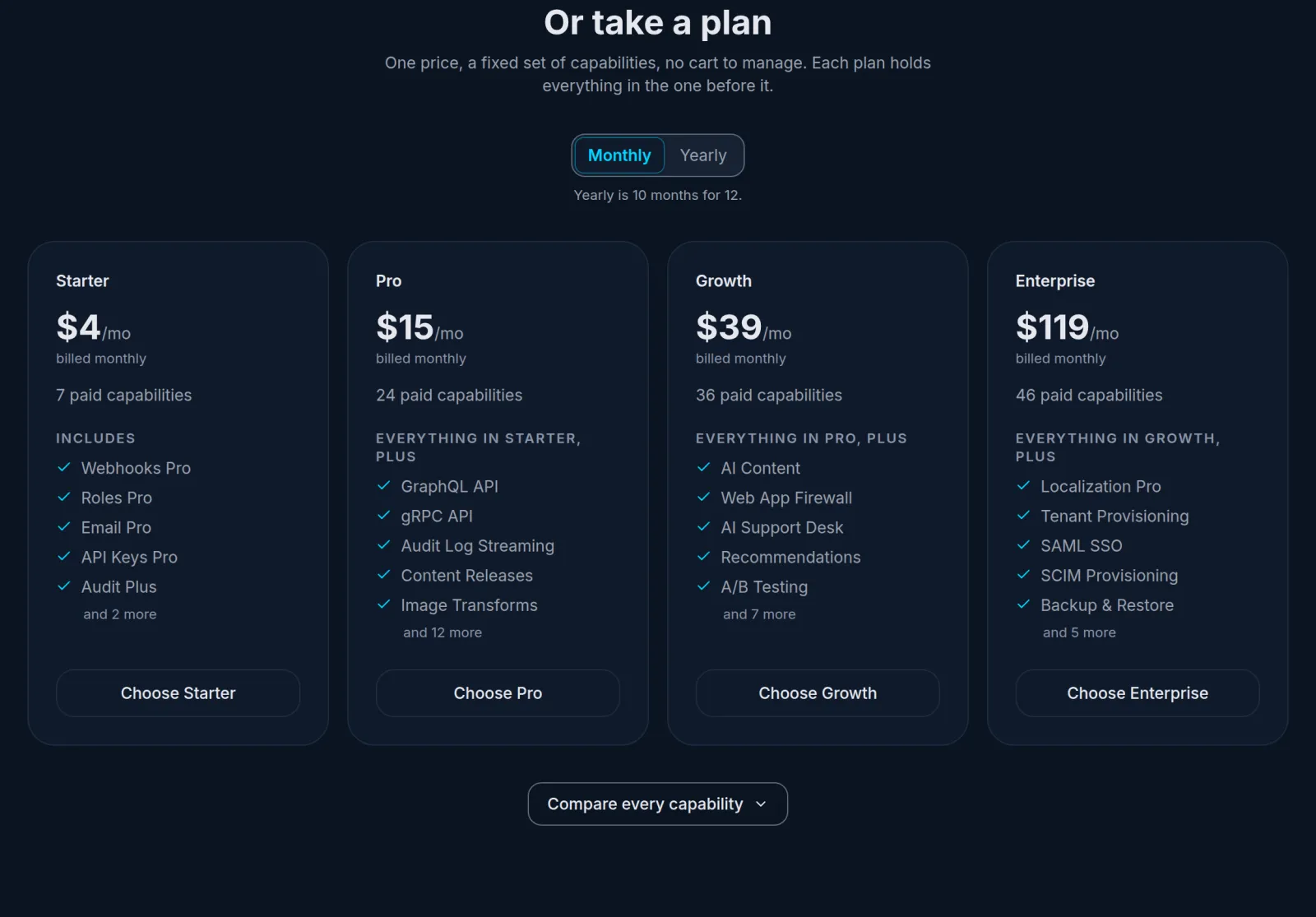 The four paid plans on lyeve.com/pricing.
A few examples of what needs a plan or an add-on:
- The audit log is Audit Plus, $2 a month, and data export is $2 a month. Every plan from Starter includes both.
- Full-text search ($8 a month), GraphQL ($3), realtime ($8) and content releases ($3, in beta) are add-ons, and every plan from Pro includes them.
- More than one tenant: Enterprise includes tenant provisioning.
Support follows the plan. Free and Starter have community support. Pro has email support with a 48-hour target. Growth and Enterprise have priority support with a 24-hour target. Payment is through PayPal. The pricing page lists every plan and add-on, and every feature page in the docs opens by saying whether it is free or which license it needs.
Where the docs are
The docs are at lyeve.com/docs. Getting started puts the opening pages in order, features lists everything LyEve can do, and the configuration reference holds every setting with its default.
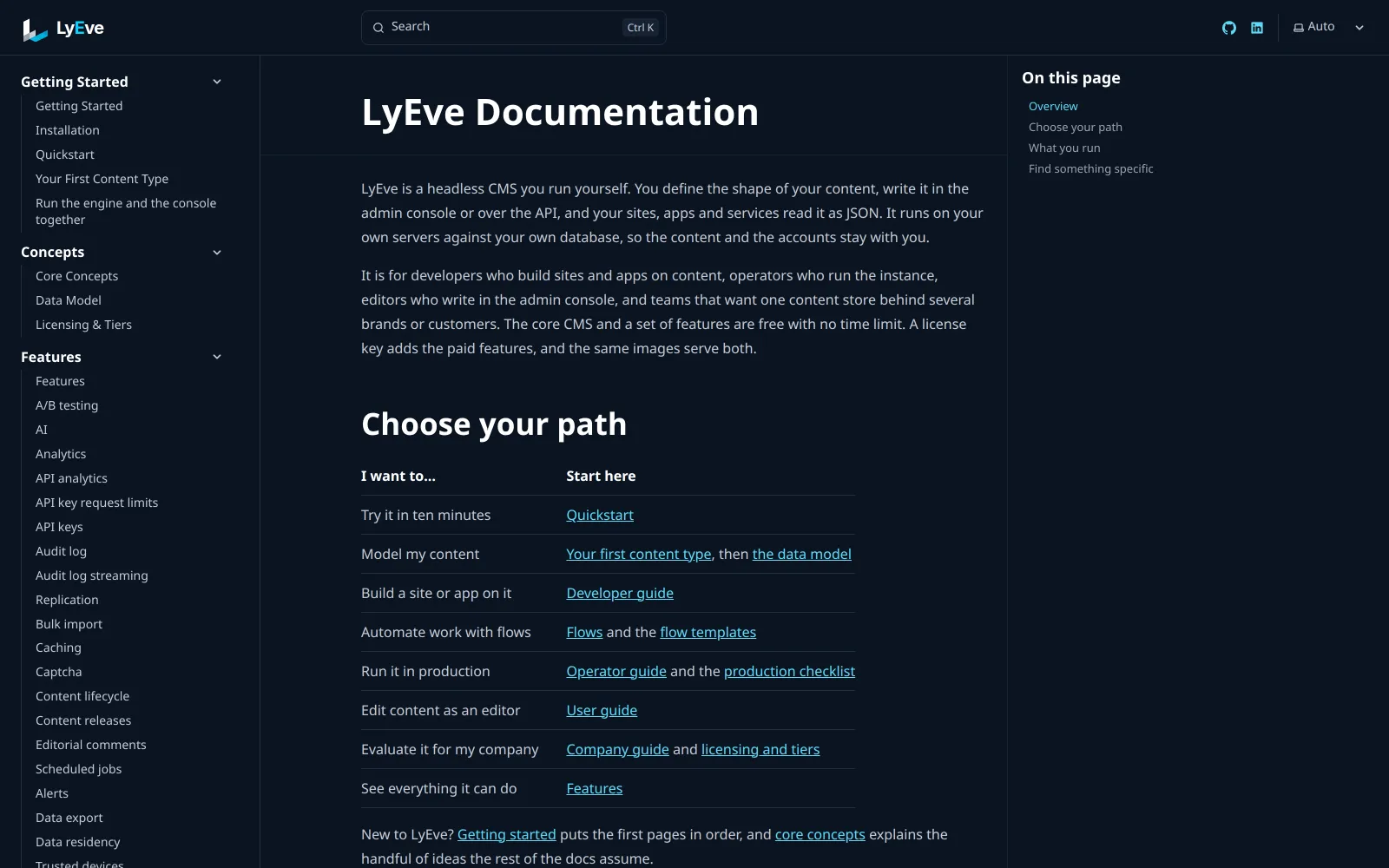 The docs home page, which points each goal to the page to start from.
The source we publish is at github.com/lyeve-labs: fourteen public repositories, holding the engine, the admin console, eight client libraries, the UI kit, the documentation, the examples and the benchmark suite.
Start LyEve in one command
If you already run PostgreSQL, MySQL or SQL Server, with a database and a user ready for LyEve, one command starts the engine against it:
docker run -d --name lyeve-engine \
  -e APP_ENV=development \
  -e DATABASE_URL="postgres://lyeve:<password>@db.example.com:5432/lyeve?sslmode=require" \
  -e JWT_SECRET="$(openssl rand -hex 32)" \
  -e ENCRYPTION_KEY="$(openssl rand -hex 32)" \
  -p 3001:3001 -p 3002:3002 \
  ghcr.io/lyeve-labs/lyeve-core:latest
That is the PostgreSQL form. Supported databases gives the MySQL and SQL Server forms and the versions each needs.
Then read the quickstart from step 1, which creates your admin account and writes your first entry. With no database yet, its step 0 starts PostgreSQL and the engine together.