Two licenses split LyEve between them. A buyer or a legal reviewer needs to know which one covers each part, what it allows and where its text is. This summary of both, as they read in November 2026, is not legal advice, and where this post and a license differ, the license decides.
The engine and LyEve Console are MIT. These parts are commercial:
- the license verification in the engine image
- the visual flow and schema editors in the admin image
- every plugin, under the Plugin EULA, the free ones included
- any other LyEve code in the images whose source is not public, under the same EULA
A free plugin costs nothing, and it is not open source.
Which license covers which part
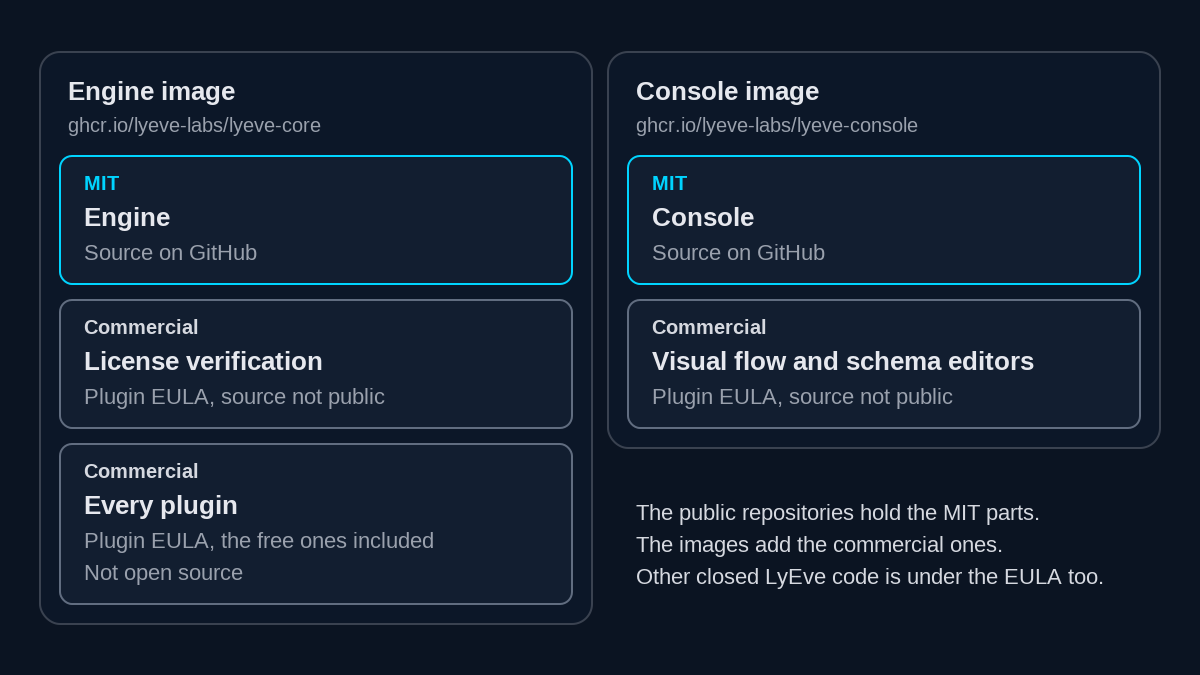 Both images hold MIT code from the public repositories and commercial parts added in the image.
| Part | License | Where to read it |
|---|---|---|
| The engine's source code | MIT | LICENSE in lyeve-core |
| The console's source code | MIT | LICENSE in lyeve-console |
| The license verification in the engine image | Plugin EULA, commercial, free of charge | lyeve.com/legal/eula |
| The 52 plugins in the engine image | Plugin EULA, commercial, free of charge for 32 | lyeve.com/legal/eula |
| The visual flow and schema editors | Plugin EULA, commercial, free of charge | lyeve.com/legal/eula, summarized in the admin image |
| Client libraries, UI kit, docs, examples and benchmarks | MIT | each repository on github.com/lyeve-labs |
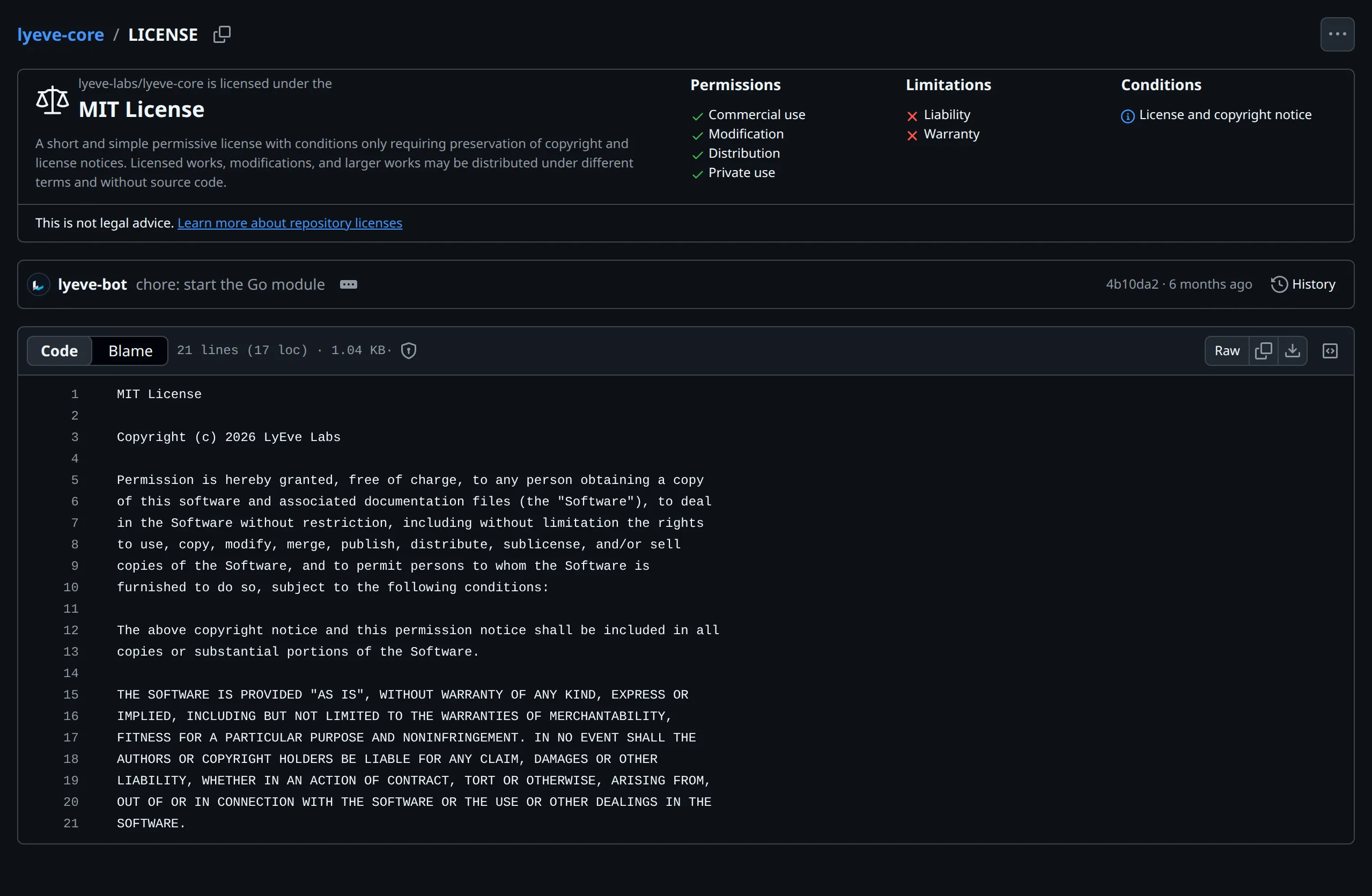 The engine's repository on GitHub, under the MIT License.
All sixteen of our public repositories carry the MIT license. The plugins' source is not public.
What the MIT license lets you do
The MIT license grants the right to deal in the software without restriction, including the rights to use, copy, modify, merge, publish, distribute, sublicense and sell copies. It sets one condition: the copyright notice and the permission notice go with every copy or substantial portion. It gives no warranty.
For the engine and the console, that means you can fork either one, change it and run your version. You can also ship it inside a product of your own, as long as the notice travels with it. The same holds for the client libraries your applications import.
The engine's public source builds with the standard Go toolchain, and it needs no access to anything of ours. What it builds is the engine without plugins: first-run setup, sign-in and the admin API. That build serves no content until a plugin is added, because content types come from a plugin. Why the CMS is written in Go shows the build.
What the Plugin EULA lets you do
Every plugin is commercial software under the Plugin End User License Agreement, Version 4, effective November 4, 2026. 32 of the 52 plugins run with no license key, and 20 need one. The EULA also covers the license verification in the engine image and the visual editors in the admin image, both free of charge.
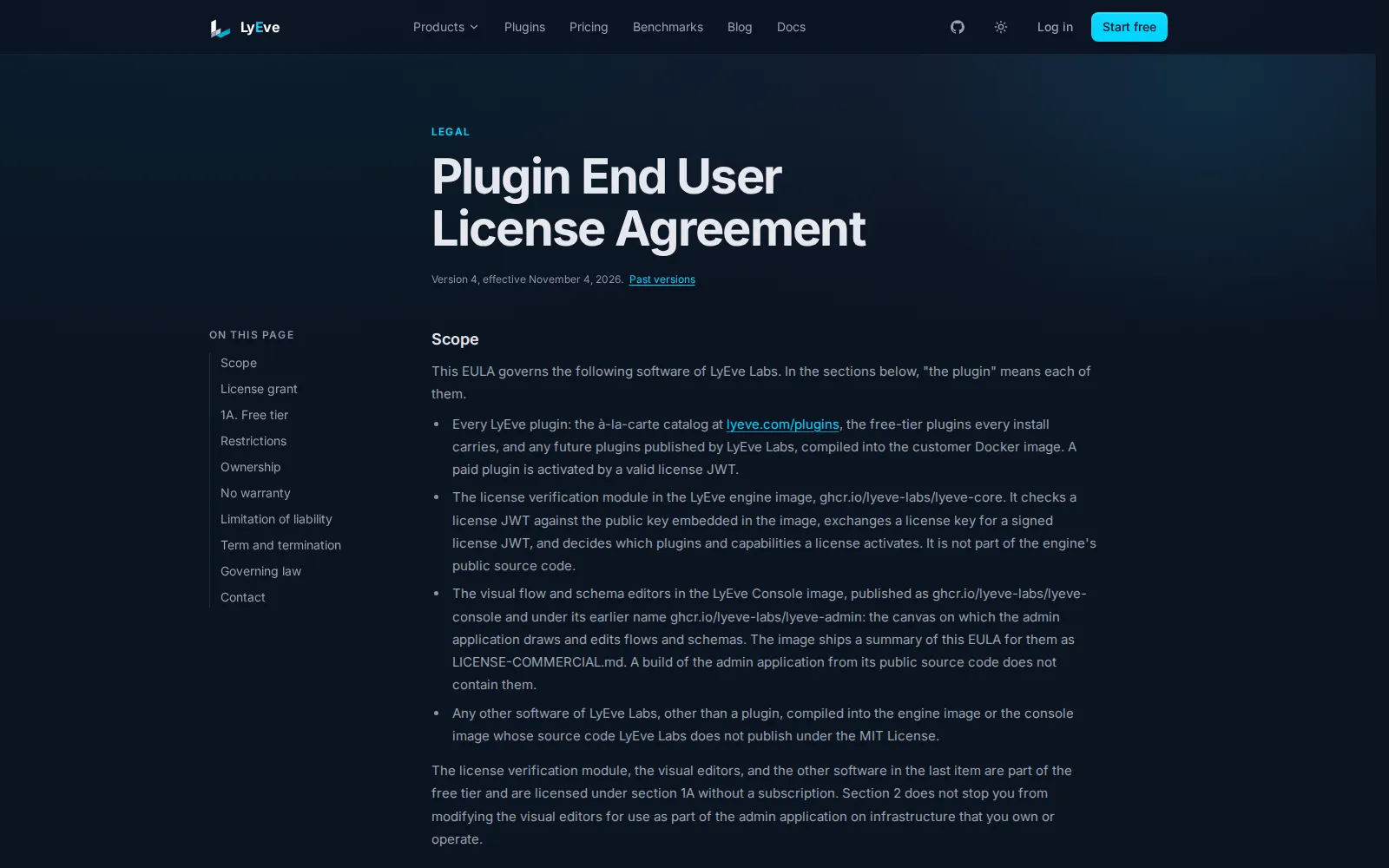 The Plugin EULA covers every plugin, free and paid, and the commercial parts of both images.
The EULA lets you install, run and use each plugin with the LyEve engine, on infrastructure you own or operate.
- A free-tier plugin needs no subscription for that license.
- A paid plugin is licensed while your subscription includes it.
- If a later version moves a plugin out of the free tier, your license to the versions released while it was free does not end.
An install you set up or run for one client needs a subscription in the client's own account for its paid plugins, whoever pays for it. A multi-tenant install under your own subscription, with clients as its tenants, is the exception. You then bind those clients to terms that protect LyEve Labs at least as well as the EULA does, and you answer for their use.
Section 2 lists what it does not allow:
- redistributing, sublicensing, selling, leasing, renting or transferring a plugin
- modifying a plugin or making derivative works of it
- reverse engineering, decompiling or disassembling a plugin, except where the law forbids that restriction
- removing or altering copyright, trademark, license or attribution notices
- using a plugin to provide a hosted service that competes with LyEve Labs, without a separate written reseller agreement
- circumventing the license verifier, its embedded public key or its activation matrix
- using a plugin in a system whose failure could lead to death, personal injury, or serious physical or environmental damage
A paid plugin's license ends when the subscription lapses, expires, is canceled or is revoked, and you then stop using the plugin and remove it. A free-tier license lasts until you breach section 2. The EULA gives no warranty and is governed by the laws of Indonesia. It caps liability at the fees paid for the subscription in the 12 months before a claim, or USD 100 if that is greater. The cap does not apply to a consumer. It does not apply to fraud, gross negligence, willful misconduct, death or injury caused by negligence, or liability the law does not allow to be limited.
The admin image adds the visual editors
The console's repository is MIT, and it does not contain the visual flow and schema editors. The admin image adds them. The Plugin EULA covers them as part of its free tier, and the image carries its summary of those terms in /app/LICENSE-COMMERCIAL.md.
You may use, run and modify the editors as part of the console, on infrastructure you own or operate. The right to modify them for your own instance is one difference from the plugins. The summary says you may not:
- redistribute the editors
- remove their notices
- copy their files into the console's MIT source to place them under MIT
- use them to provide a competing hosted service without a written agreement
Section 2 of the EULA also applies to the editors, except its ban on modifying them.
What the images say about themselves
Each image declares its licenses in the standard org.opencontainers.image.licenses label. We checked them on November 11, 2026, in the LyEve engine v0.62.0 and admin console v0.28.0:
docker inspect --format '{{ index .Config.Labels "org.opencontainers.image.licenses" }}' ghcr.io/lyeve-labs/lyeve-core:0.62.0
docker inspect --format '{{ index .Config.Labels "org.opencontainers.image.licenses" }}' ghcr.io/lyeve-labs/lyeve-console:0.28.0
LicenseRef-LyEve-Commercial
MIT AND LicenseRef-LyEve-CommercialThe engine image is labeled commercial as a whole. Its one program holds the MIT engine together with the plugins and the license verification, and the source of those two is not public. What LyEve sends us shows what the license verification sends, and when.
The MIT text for the engine's code travels inside the image. Beside it, a notices file lists the third-party modules in the binary under licenses other than MIT, BSD, Apache 2.0 or ISC. Copy the license out without starting anything:
id=$(docker create ghcr.io/lyeve-labs/lyeve-core:0.62.0)
docker cp "$id":/usr/share/doc/lyeve/LICENSE ./LICENSE
docker rm "$id" >/dev/null
head -n 3 LICENSE
MIT License
Copyright (c) 2026 LyEve LabsThe admin image's label says both: MIT for the console, commercial for the editors. The same docker cp reads /app/LICENSE and /app/LICENSE-COMMERCIAL.md from it.
What this means when you decide
- If your policy requires that code you change or redistribute be open source, the source of the engine and the console meets it, and so do the client libraries. The plugins do not, the free ones included, and neither do the license verification or the editors in the admin image.
- If you run LyEve for your own sites and apps, the two kinds sit together. The MIT parts run on MIT terms, and the plugins under the EULA, the free ones at no charge.
- If you plan to resell hosting of LyEve or ship it inside a product you distribute, section 2 of the EULA covers both. Questions about it go to legal@lyeve.com.
Start LyEve on your database
LyEve runs on PostgreSQL, MySQL 8.0 or 8.4, and SQL Server 2019 or later, Azure SQL included. On SQL Server, turn on read committed snapshot isolation before the engine starts: Installation shows how.
Create a database and a user for LyEve. Then keep only your database's DATABASE_URL line uncommented, fill in its host and password, and start the engine on the free tier:
DATABASE_URL="postgres://lyeve:<password>@db.example.com:5432/lyeve?sslmode=require"
# DATABASE_URL="mysql://lyeve:<password>@tcp(db.example.com:3306)/lyeve?parseTime=true"
# DATABASE_URL="sqlserver://lyeve:<password>@db.example.com:1433?database=lyeve"

docker run -d --name lyeve-engine \
  -e APP_ENV=development \
  -e DATABASE_URL="$DATABASE_URL" \
  -e JWT_SECRET="$(openssl rand -hex 32)" \
  -e ENCRYPTION_KEY="$(openssl rand -hex 32)" \
  -p 3001:3001 -p 3002:3002 \
  ghcr.io/lyeve-labs/lyeve-core:latest
The engine reads which database it talks to from the scheme and creates its tables on first start.
With no license key, the engine runs the 32 free plugins under the EULA, at no charge. Then read the quickstart from step 1, which creates your admin account and writes your first entry. With no database yet, its step 0 starts PostgreSQL and the engine together.