The LyEve engine ships as one container image with 52 plugins built in, 32 of them free with no license key.
What Go gives the person who runs LyEve matters to Go developers and to anyone choosing what to self-host. Each point below comes with a command that checks it on your own machine. We ran each command on November 11, 2026, against the LyEve engine v0.62.0 and admin console v0.28.0.
One program in one file
Go compiles a program and the libraries it uses into one executable. LyEve's release build also turns cgo off, and without cgo the file does not load the system's C library either. Copy the engine out of the image and look at it:
id=$(docker create ghcr.io/lyeve-labs/lyeve-core:0.62.0)
docker cp "$id":/app/lyeve ./lyeve
docker rm "$id" >/dev/null
file ./lyeve | cut -d, -f1,2,4
./lyeve: ELF 64-bit LSB executable, x86-64, statically linkedThat file holds the engine and all 52 plugins, and it needs no library from the host. Run it with no configuration and it reports what it carries, then stops at the first setting it lacks:
./lyeve 2>&1 | grep -oE '"count":[0-9]+|DATABASE_URL must be set' | sort -u"count":52
DATABASE_URL must be set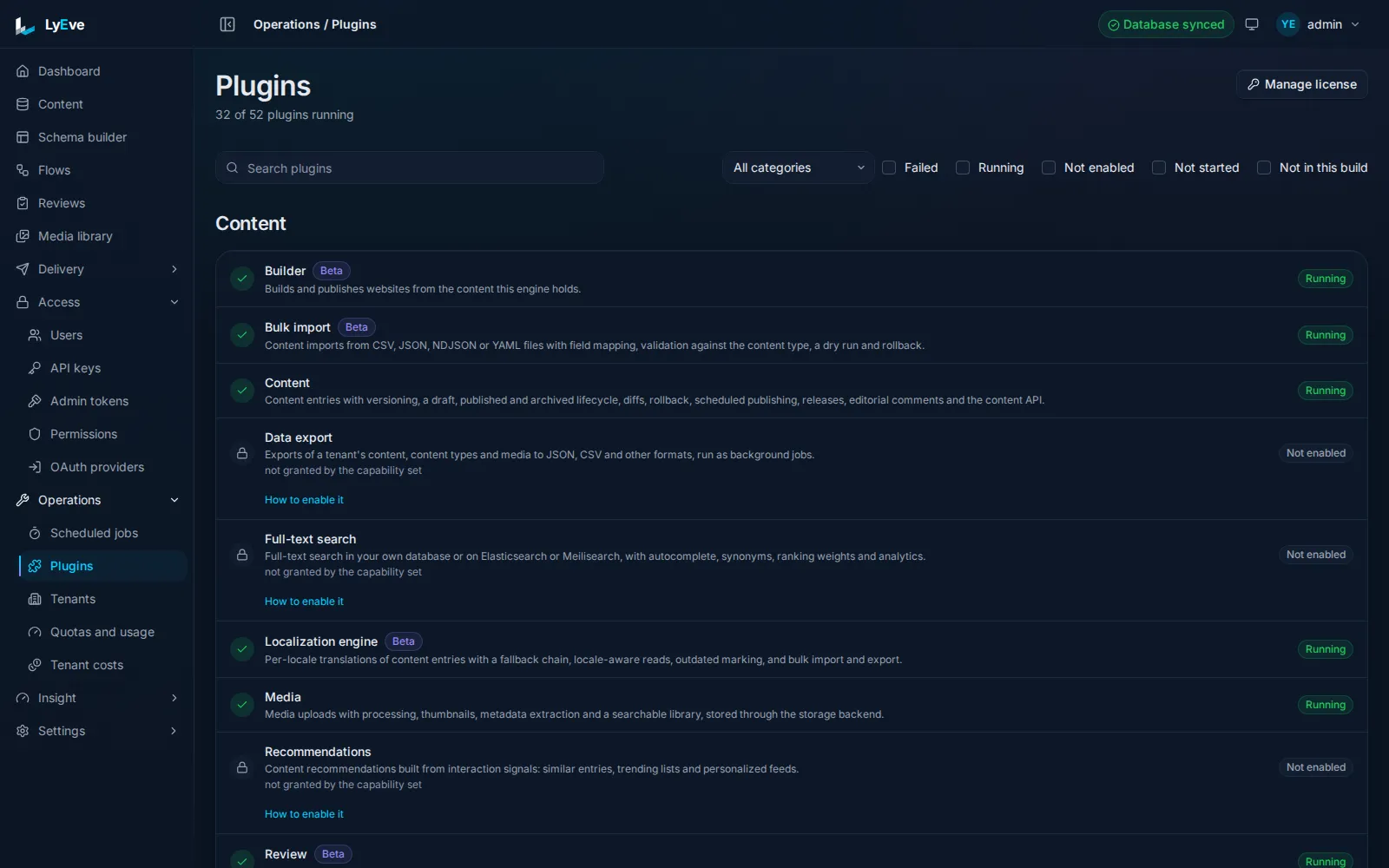 All 52 plugins are in the image. Without a key, the 32 free ones run.
The database drivers are in the same file. LyEve reaches PostgreSQL, MySQL and SQL Server through drivers written in Go. You install no client library and no ODBC driver for any of them.
Nothing else in the image
The image holds the binary, the engine's SQL migrations, CA certificates, time zone data, an unprivileged user and the license texts. It has no shell, no package manager and no interpreter. Ask for a shell and Docker says there is none:
docker run --rm --entrypoint sh ghcr.io/lyeve-labs/lyeve-core:0.62.0docker: Error response from daemon: failed to create task for container: failed to create shim task: OCI runtime create failed: runc create failed: unable to start container process: error during container init: exec: "sh": executable file not found in $PATH
Run 'docker run --help' for more informationThree things follow for you.
- There is no runtime to keep current beside LyEve. Go's runtime is compiled into the binary. A fix to it reaches you in a new image, and you take it by pulling a new tag.
- The container runs as an unprivileged user, not as root.
- The health check is the binary checking itself, because the image has no curl or wget to call.
It also means docker exec has nothing to open. You read the engine through its JSON log lines and its /healthz and /readyz endpoints. Docker shows the last two points above:
docker image inspect --format '{{.Config.User}}' ghcr.io/lyeve-labs/lyeve-core:0.62.0
docker image inspect --format '{{json .Config.Healthcheck.Test}}' ghcr.io/lyeve-labs/lyeve-core:0.62.0
65532:65532
["CMD","/app/lyeve","healthcheck"]Two architectures from one build
Go cross-compiles by setting two environment variables, GOOS and GOARCH. Each LyEve release uses them to build the engine for x86 and for ARM on one x86 machine, with no emulator, and publishes both under one tag:
docker buildx imagetools inspect ghcr.io/lyeve-labs/lyeve-core:0.62.0 | grep 'Platform:.*linux' Platform: linux/arm64
Platform: linux/amd64Docker pulls the variant that matches the server's processor. You write the same image name in your Compose file on an x86 server or an ARM one.
The binary names its source
The release build stamps the binary with its version and the commit it was built from, and the binary prints both. Because the engine's source is public under the MIT license, you can match the file you run to a commit you can read:
./lyeve versionlyeve v0.62.0 (commit 36773e572d0f21a81147222a6cc326933908312d, built 2026-11-11T05:29:00Z)The v0.62.0 tag in github.com/lyeve-labs/lyeve-core points at that commit, and the image's org.opencontainers.image.revision label holds the same value. The commit covers the engine's MIT code. The same file also holds commercial parts whose source is not public, all under the Plugin EULA: the plugins, the license verification and any other closed LyEve code.
Build the engine yourself
The engine builds with the standard Go toolchain from a public clone. It asks for Go 1.27.4 or later. You need no access to anything of ours, because every module it needs is public:
git clone --depth 1 --branch v0.62.0 https://github.com/lyeve-labs/lyeve-core.git
cd lyeve-core
CGO_ENABLED=0 go build -trimpath -o lyeve-core ./cmd/lyeve-core
What you get is the engine without plugins. It serves first-run setup, sign-in and the admin API, and its log says "running":0 where the image's says 32. Content types come from a plugin. Until one is added, it serves no content. The image is that engine with the 52 plugins and the license verification built in.
Upgrades replace one image
An upgrade is a new image tag. Pull it and recreate the container, and the engine applies any new database migrations when it starts. The Docker Compose guide gives the two commands.
There is no package to build on the host and no runtime to upgrade beside it. LyEve vs Strapi sets this beside a Node.js CMS that you build and deploy yourself.
What Go does not change
- The console is a separate image. It is a web app that runs on Node.js inside that image. You install nothing for it either, and the engine runs without it.
- You still run a database: PostgreSQL, MySQL or SQL Server.
- This post makes no claim about memory or start time. The benchmarks page measures both on one small server, with the method beside each figure.
Start LyEve on your database
LyEve runs on PostgreSQL, MySQL 8.0 or 8.4, and SQL Server 2019 or later, Azure SQL included. On SQL Server, turn on read committed snapshot isolation before the engine starts: Installation shows how.
Create a database and a user for LyEve. Then keep only your database's DATABASE_URL line uncommented, fill in its host and password, and start the engine on the free tier:
DATABASE_URL="postgres://lyeve:<password>@db.example.com:5432/lyeve?sslmode=require"
# DATABASE_URL="mysql://lyeve:<password>@tcp(db.example.com:3306)/lyeve?parseTime=true"
# DATABASE_URL="sqlserver://lyeve:<password>@db.example.com:1433?database=lyeve"

docker run -d --name lyeve-engine \
  -e APP_ENV=development \
  -e DATABASE_URL="$DATABASE_URL" \
  -e JWT_SECRET="$(openssl rand -hex 32)" \
  -e ENCRYPTION_KEY="$(openssl rand -hex 32)" \
  -p 3001:3001 -p 3002:3002 \
  ghcr.io/lyeve-labs/lyeve-core:latest
The engine reads which database it talks to from the scheme and creates its tables on first start.
Then read the quickstart from step 1, which creates your admin account and writes your first entry. With no database yet, its step 0 starts PostgreSQL and the engine together.