Your MySQL 8.0 or 8.4 server can hold LyEve's content in a database and an account you create for it. Three steps start the engine on that database and bring it to the page where you create your admin account.
Steps 1 and 2 happen in MySQL and Docker. Step 3 and the next step each offer LyEve Console or the engine's API from a terminal, and the tab you pick holds for the whole page.
What the MySQL setup needs
- Docker, to run the engine image.
- MySQL 8.0 or 8.4, reachable from the engine's container. We ran every step below on both on November 11, 2026, with the LyEve engine v0.62.0 and admin console v0.28.0.
- A MySQL account that may create databases and users, such as
root. You use it once. The engine signs in with an account of its own.
1. Create the database and an account
Run these statements as your admin account:
CREATE DATABASE lyeve CHARACTER SET utf8mb4 COLLATE utf8mb4_unicode_ci;
CREATE USER 'lyeve'@'%' IDENTIFIED BY '<password>';
GRANT ALL PRIVILEGES ON lyeve.* TO 'lyeve'@'%';
Keep the collation. MySQL 8 gives a new database utf8mb4_0900_ai_ci unless told otherwise, and the engine's tables need utf8mb4_unicode_ci. The engine switches an empty database to it on its first start, and naming it here leaves nothing to switch. The grant covers the lyeve database and nothing else on the server.
2. Start the engine
docker run -d --name lyeve-engine \
  -e APP_ENV=development \
  -e DATABASE_URL="mysql://lyeve:<password>@tcp(db.example.com:3306)/lyeve?parseTime=true" \
  -e JWT_SECRET="$(openssl rand -hex 32)" \
  -e ENCRYPTION_KEY="$(openssl rand -hex 32)" \
  -p 3001:3001 -p 3002:3002 \
  ghcr.io/lyeve-labs/lyeve-core:latest
The host and port go inside tcp(...). parseTime=true is the form the docs print, and the engine turns it on by itself when a URL leaves it out.
Port 3001 serves the Admin API and port 3002 the Content API. APP_ENV=development lets a test install start without the production settings. Before you go live, remove it and work through the production checklist.
3. Check that it worked
On an empty database the engine creates every table before it answers. In our runs that took longer on MySQL than on PostgreSQL or SQL Server.
Console v0.28.0
The console is a second image. A small proxy in front puts the console and the engine's two APIs on one address. Give the engine a network that the proxy and the console share:
docker network create lyeve-console
docker network connect lyeve-console lyeve-engine
Save this as Caddyfile in the current directory:
:8080 {
  handle /api/admin/* {
    reverse_proxy lyeve-engine:3001
  }
  handle /api/* {
    reverse_proxy lyeve-engine:3002
  }
  handle /.well-known/* {
    reverse_proxy lyeve-engine:3002
  }
  handle {
    reverse_proxy lyeve-console:3002
  }
}
Start the proxy and the console:
docker run -d --name lyeve-proxy --network lyeve-console \
  -p 8080:8080 -v "$PWD/Caddyfile:/etc/caddy/Caddyfile:ro" \
  caddy:2

docker run -d --name lyeve-console --network lyeve-console \
  -e ORIGIN=http://localhost:8080 \
  -e CORE_INTERNAL_URL=http://lyeve-proxy:8080 \
  -e CORE_API_INTERNAL_URL=http://lyeve-proxy:8080 \
  ghcr.io/lyeve-labs/lyeve-console:latest
ORIGIN is the address you open in the browser. The two CORE_ addresses are where the console's own server reaches the engine, through the proxy. Run the engine and the console together explains the rest of the wiring.
Open http://localhost:8080. A new install sends you to the setup page. Its form opens with The engine is configured and its database is reachable. The engine has created its tables in MySQL and waits for its first administrator.
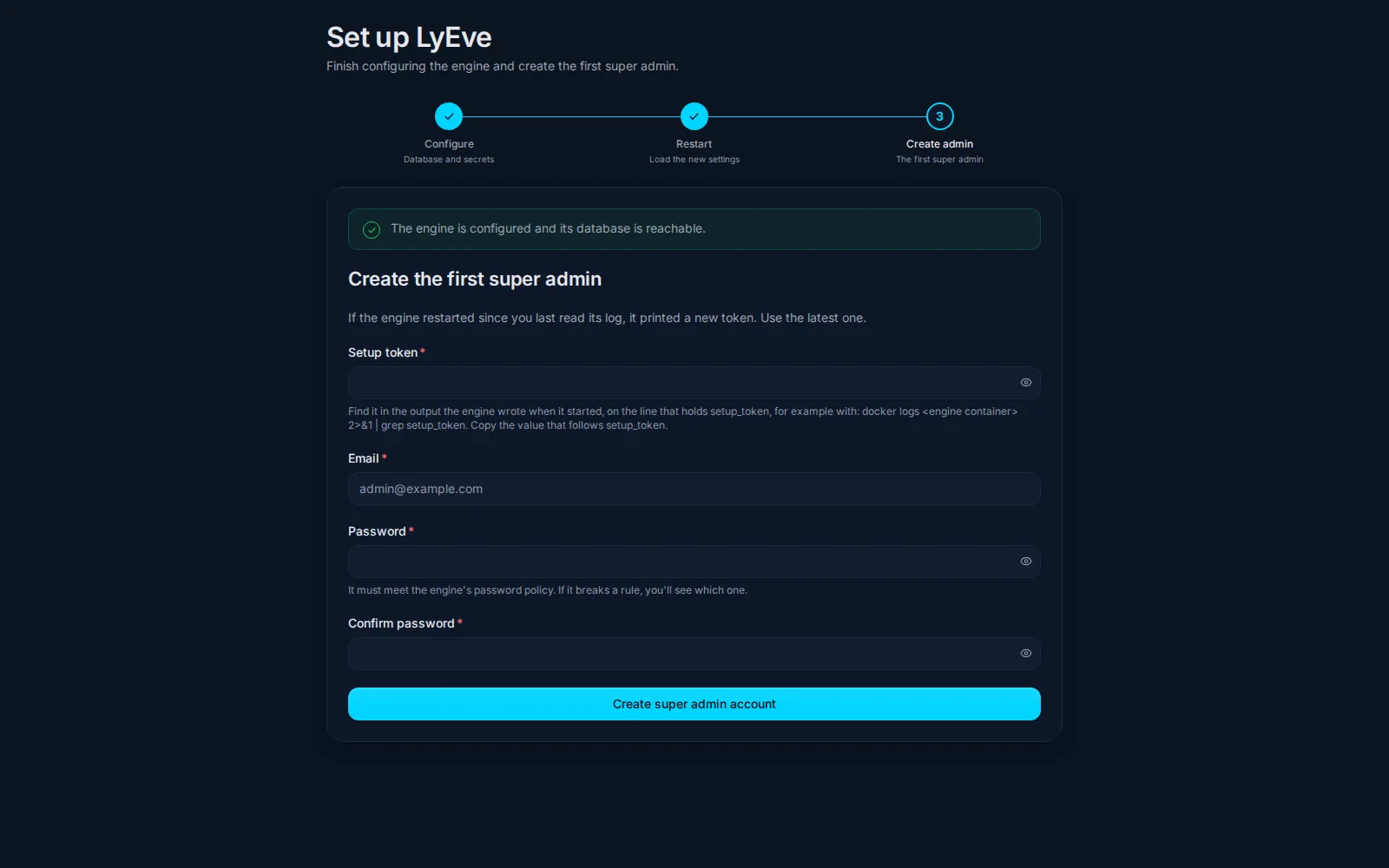 The setup page on a new install.
When this path fails:
The setup page says Could not reach the engine
The engine is still creating its tables, or the proxy cannot find it. The page checks again every few seconds and goes on once the engine answers. If the message stays, check that the engine is running, then run the docker network connect line above again:
docker ps --filter name=lyeve-engine
docker network connect lyeve-console lyeve-engine
When the engine is already on that network, Docker answers that the endpoint already exists, and the network is not the problem. docker logs lyeve-engine then shows what the engine is doing.
Setup answers Cross-site POST form submissions are forbidden
The address in the browser differs from ORIGIN. Open http://localhost:8080 exactly. 127.0.0.1 is a different address to the console, even on the same machine.
Engine API v0.62.0
Ask the engine whether it is ready for its admin account:
curl http://localhost:3001/api/admin/setup{"setup_required":true,"token_source":"log"}If you do not get this answer yet, wait and run the command again.
Errors at the engine's first start
These happen when the engine starts, whichever way you check it.
default addr for network 'db.example.com:3306' unknown
The host is not inside tcp(...). Write it as tcp(db.example.com:3306).
A production engine refuses to start as root
Without APP_ENV=development, the engine refuses the server's default superuser, and the log says the URL uses default credentials. Use the account from step 1.
What you get
You get the same engine, API and the console that run on PostgreSQL and on SQL Server 2019 or later, Azure SQL included. The PostgreSQL and SQL Server guides have the same steps for those databases. We sent the same requests to all three, from the setup check to writing and listing an entry, and got the same answers. 32 of the 52 plugins in the image start with no license key, and licensing and tiers lists what runs free.
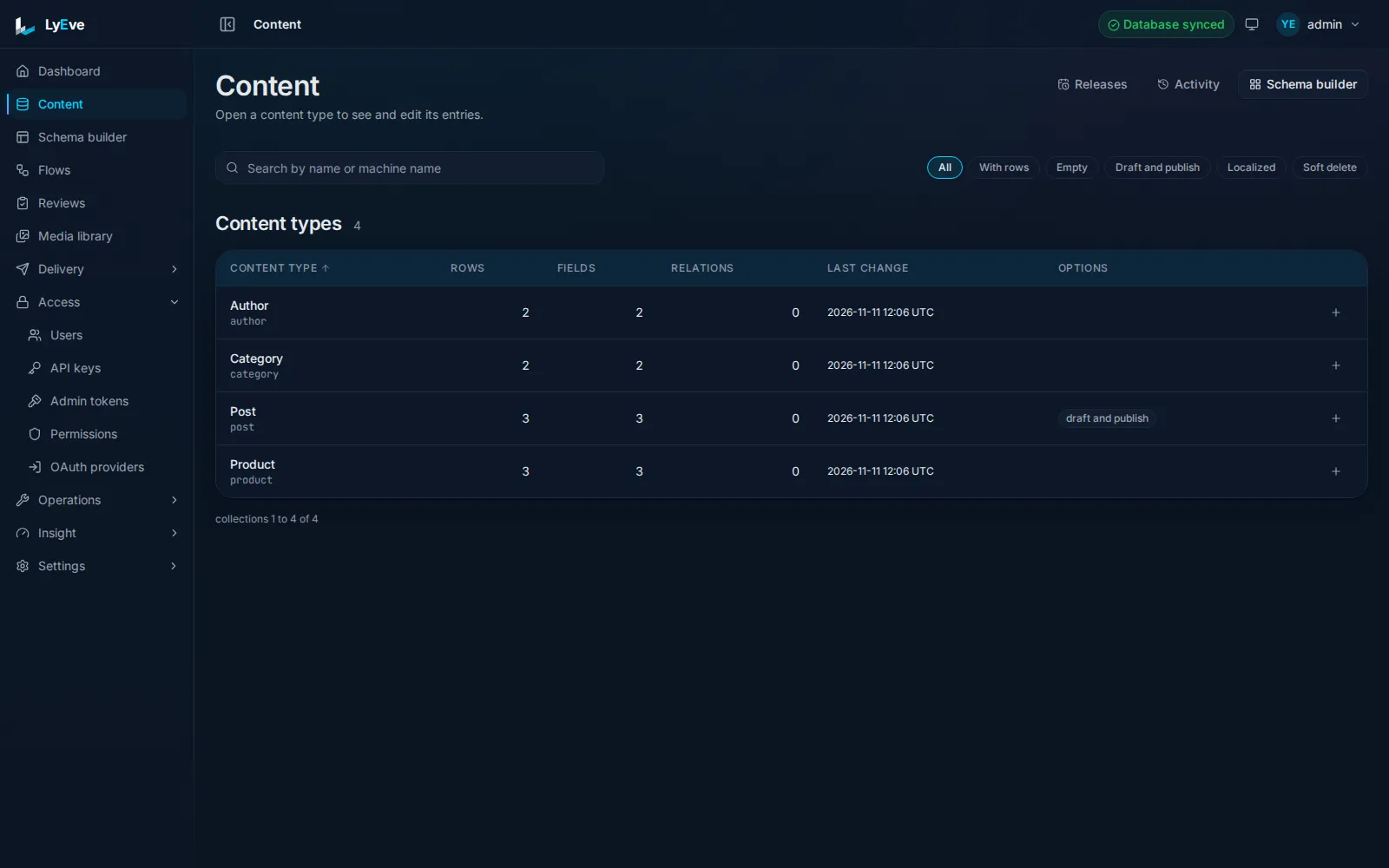 The Content page, with each content type in the tenant and what it holds.
Next: your admin account and first entry
Console v0.28.0
Create your admin account on the setup page from step 3. The engine prints the setup token to its standard error, outside its log, and docker logs shows it:
docker logs lyeve-engine 2>&1 | grep -oE 'setup_token=[0-9a-f]+' | tail -n 1It prints setup_token= and the token. Paste the part after setup_token=, enter an email and a password, and select Create super admin account. The console opens its dashboard. Run the engine and the console together goes on from there to a first content type and entry.
Engine API v0.62.0
Create your admin account and write an entry with step 2 of the quickstart.