An agency or SaaS team with several clients can serve them all from one LyEve install, each client in a tenant of its own. A tenant keeps its own content, users and API keys, and sees nothing of anyone else's.
One tenant is free. More tenants take the Tenant Provisioning add-on, $18 a month and in beta, or Enterprise, $119 a month, which includes it. Neither has a limit on the number of tenants.
What each client sees
Each client works in its own tenant. A tenant has its own content types, entries, media, users, API keys and settings.
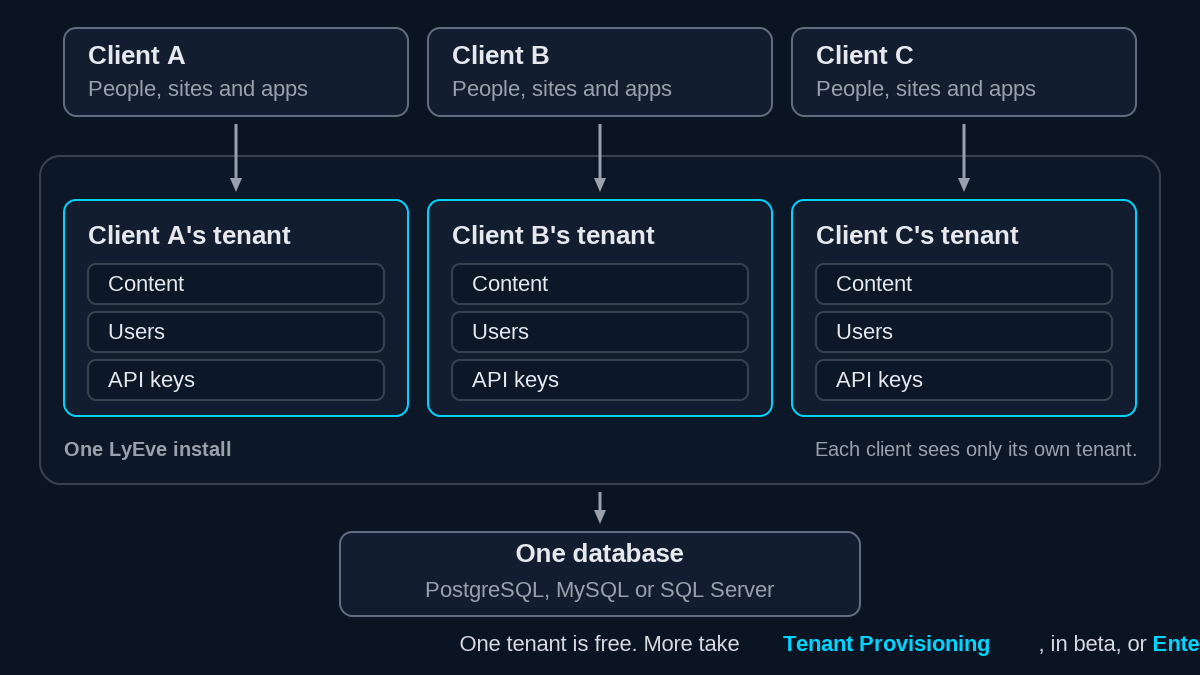 Each client gets its own tenant on one install. More than one tenant takes the Tenant Provisioning add-on, in beta, or Enterprise.
- The client's people sign in to LyEve Console and land in their tenant. An account belongs to one home tenant, and you can grant it roles in others. Your own staff then work across clients with one login. Roles are held per tenant, and one person can be an editor for one client and an admin for another.
- The client's sites and apps read content with API keys created in its tenant, and every call made with such a key stays there.
- A public site can run on the client's own domain. Domain mapping is free: a request to a mapped host reaches that tenant's content without naming it.
- The console can carry the client's own name, logo, accent color and menu with the Tenant Admin Customization add-on.
What stays separate
Every request runs in exactly one tenant, decided before it is handled:
| Caller | Works in |
|---|---|
| A signed-in person | Their home tenant, or one they hold roles in, named at sign-in |
| An API key | The tenant it was created in |
| A request with no credential | The tenant whose domain it was sent to |
| A super admin | Any tenant, named in the X-Tenant-ID header |
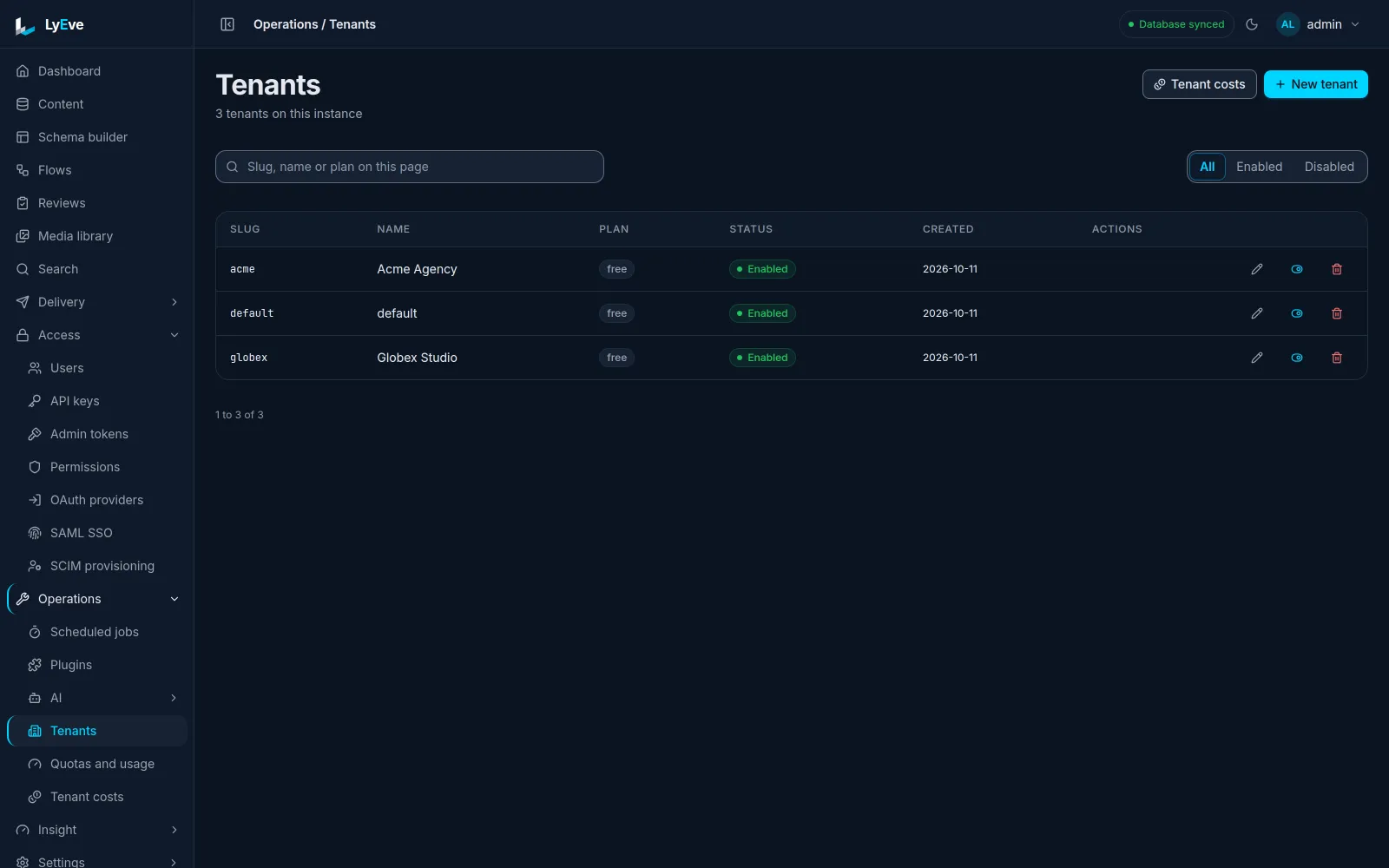 The Tenants page, with each tenant on the install and its status. Its plan column is a label you type for each tenant, not a license.
The header is ignored when anyone but a super admin sends it. A client cannot reach another client's tenant by naming it. In our check, an admin account that named another tenant in the header still received its own tenant's content types.
You can also hold features back from one tenant while the rest keep them, for example to keep a client off the AI features. With Usage Quotas, an add-on at $3 a month in beta that every plan from Pro includes, you can cap each tenant's monthly requests, storage and bandwidth.
What a client's admin can and cannot do
Give each client an account with the admin role. Inside its own tenant, an admin runs the console: content types, content, media, flows, API keys and its own admin tokens. It reads its tenant's quota and asks for more, and it sees what its tenant costs under Operations > Tenant costs.
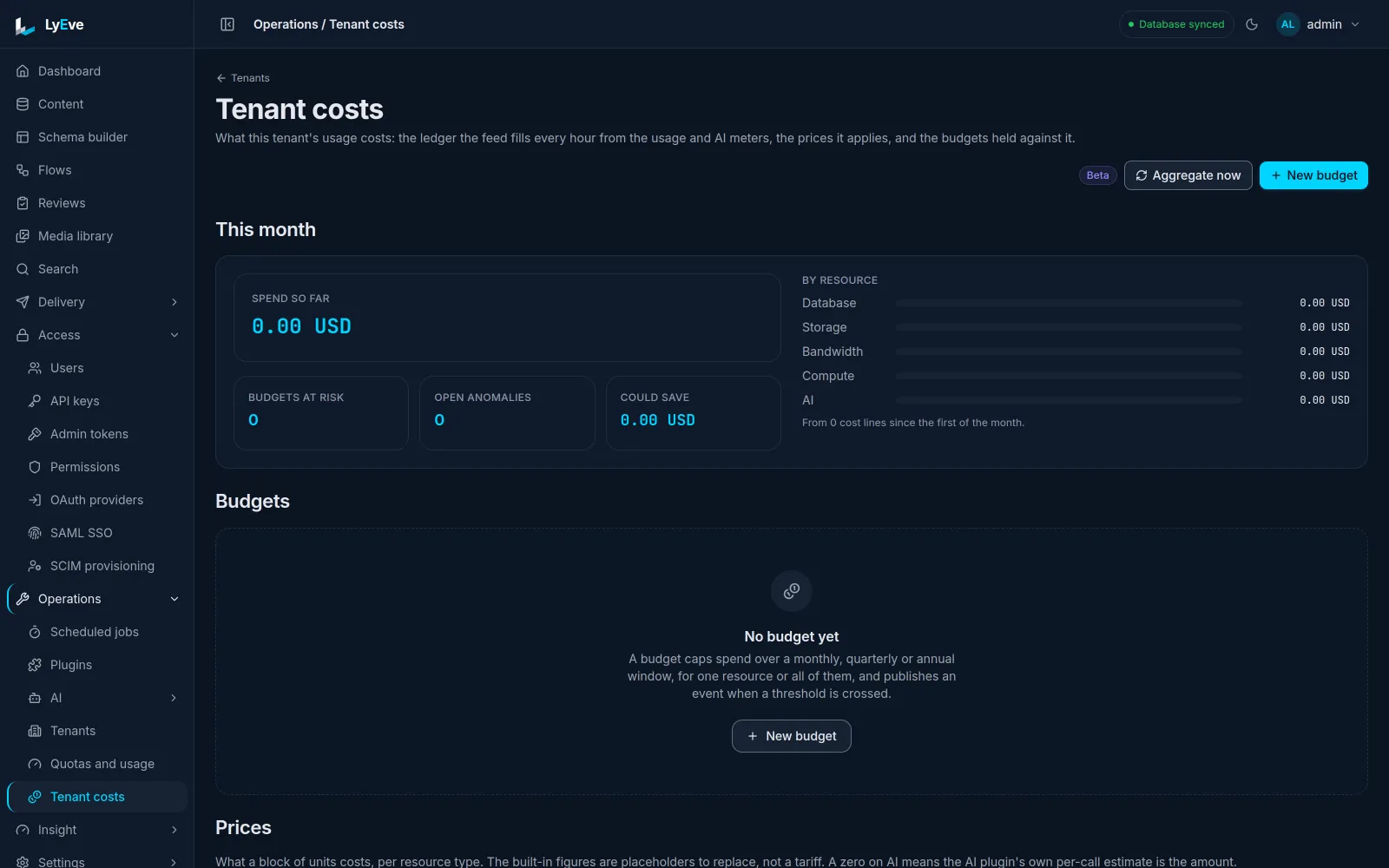 The Tenant costs page for one tenant, with this month's spend so far and the budgets at risk.
Some things stay with you, as the super admin:
- creating, archiving and deleting tenants
- managing users and their roles
- writing access rules and setting up sign-in providers
- setting a tenant's quota and choosing which features it may use
- working in any other tenant
We checked that boundary on PostgreSQL, MySQL and SQL Server. An admin account that tried to list the tenants, create a tenant or create a user got 403 each time. Write the access rules before you hand out accounts, because on the Content API an admin needs one like any other role.
What it costs
Ask a free install for a second tenant and the engine answers 402. The free tier also allows three admin accounts across every tenant, which five clients with an admin each would pass.
Any license removes the limit on admin accounts. With either of two licenses, you can also create tenants with no limit on their number.
The Tenant Provisioning add-on costs $18 a month and needs no plan. In beta it has no self-service signup flow, and you create each tenant yourself. Deleting a tenant runs in the background and reports its progress. It sets no quota on a tenant's storage or compute.
Enterprise costs $119 a month, or $1,190 a year, because a year is ten months for twelve. It includes tenant provisioning, and adds for each client:
- Tenant Admin Customization, for a branded console
- Backup and Restore for each tenant
- priority support with a 24-hour target
Both add-ons also sell on their own, and both are in beta. Tenant Admin Customization is $3 a month, and Growth includes it. Backup and Restore is $13 a month.
Enterprise includes every other LyEve add-on as well, Usage Quotas among them.
Neither price grows with the number of clients. Each client's share falls as you add them:
| Clients | Add-on, $18 a month | Enterprise, $119 a month | Enterprise, $1,190 a year |
|---|---|---|---|
| 5 | $18 / 5 = $3.60 a month | $119 / 5 = $23.80 a month | $1,190 / 5 = $238 a year |
| 20 | $18 / 20 = $0.90 a month | $119 / 20 = $5.95 a month | $1,190 / 20 = $59.50 a year |
These are LyEve's prices. The server and the database are yours to run, and they cost what your host charges.
LyEve vs Strapi works the same sum for an agency with three client sites.
Other ways to serve several clients
One free install per client runs each client's one tenant at no license cost. Each install is also an engine and a database of its own to update, back up and watch. The Tenant Provisioning add-on puts them on one install for $18 a month.
Another CMS can do it too. Orchard Core's documentation, read in October 2026, calls it a multi-tenant system that hosts as many websites as you want with a single deployment. It is a .NET framework and CMS under the BSD-3-Clause license.
Which setup fits your clients
For one client, a free install is enough. To run several clients from one install that you update, back up and watch in one place, you need Tenant Provisioning ($18 a month, in beta). Buy the per-client add-ons you need on top, or switch to Enterprise when you want branded consoles, per-tenant backups and priority support in one plan. On either, each client gets its own tenant, and you stay the super admin above its admins.
Set MULTI_TENANT=true before you add the second tenant. The tenants page shows how to create one and check that it stays separate.
Start LyEve on your database
LyEve runs on PostgreSQL, MySQL 8.0 or 8.4, and SQL Server 2019 or later, Azure SQL included. On SQL Server, turn on read committed snapshot isolation before the engine starts: Installation shows how.
Create a database and a user for LyEve. Then keep only your database's DATABASE_URL line uncommented, fill in its host and password, and start the engine on the free tier:
DATABASE_URL="postgres://lyeve:<password>@db.example.com:5432/lyeve?sslmode=require"
# DATABASE_URL="mysql://lyeve:<password>@tcp(db.example.com:3306)/lyeve?parseTime=true"
# DATABASE_URL="sqlserver://lyeve:<password>@db.example.com:1433?database=lyeve"

docker run -d --name lyeve-engine \
  -e APP_ENV=development \
  -e DATABASE_URL="$DATABASE_URL" \
  -e JWT_SECRET="$(openssl rand -hex 32)" \
  -e ENCRYPTION_KEY="$(openssl rand -hex 32)" \
  -p 3001:3001 -p 3002:3002 \
  ghcr.io/lyeve-labs/lyeve-core:latest
The engine reads which database it talks to from the scheme and creates its tables on first start.
Then read the quickstart from step 1, which creates your admin account and writes your first entry. With no database yet, its step 0 starts PostgreSQL and the engine together.