

Magic link sign-in
Included free on every install.
A person asks for a sign-in link, receives it by email, and opens it in the admin console, which redeems it for a session. Each link works once and expires after 10 minutes by default. An account with two-factor authentication is still asked for its code, and a link issued for one tenant never signs anyone into another.
In the admin console
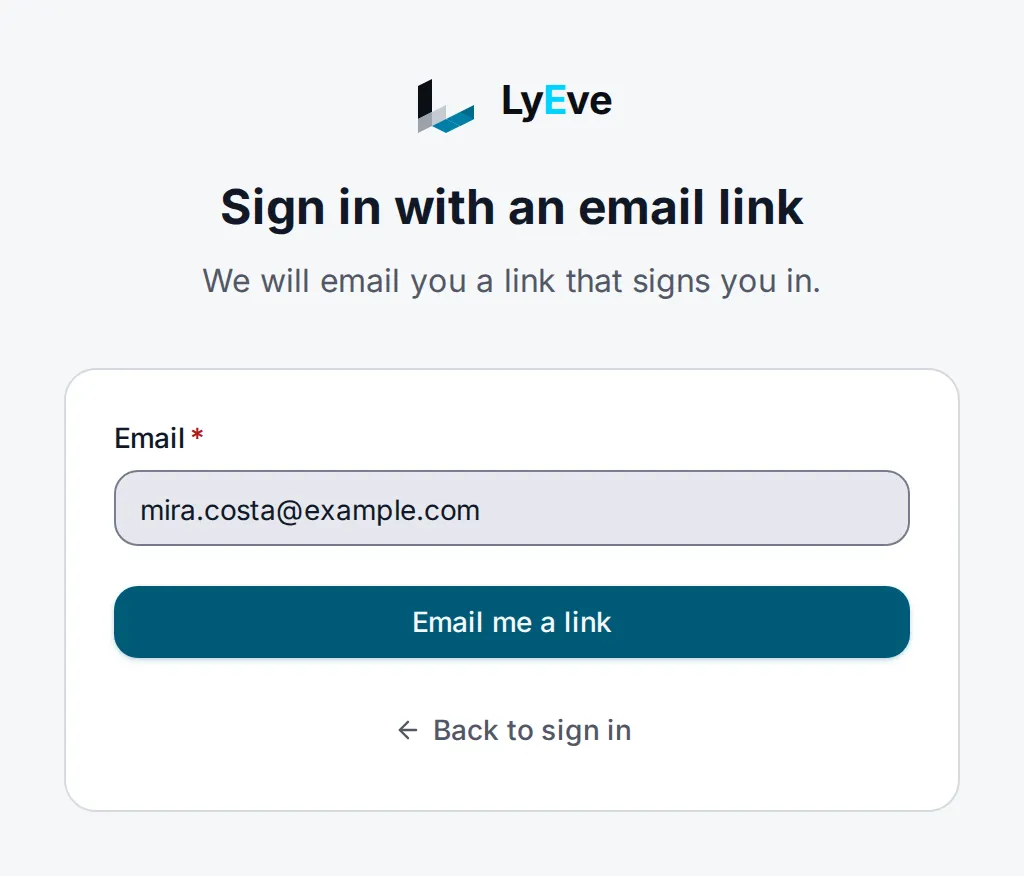
Section titled “In the admin console”- On the sign-in page, choose Email me a sign-in link.
- Enter the account's address and choose Email me a link.
- Open the link from the email. On Sign in with your link, choose Continue to finish signing in on that device.
How it works
Section titled “How it works”| Step | What happens |
|---|---|
| Request | The console posts the address to /api/admin/auth/magic-link/request. The answer is the same whether or not the account exists. |
The link <LYEVE_CONSOLE_URL>/auth/magic-link/verify?token=<token> is mailed, stating how long it works. | |
| Redeem | The person submits the page the link opens, and the console redeems the token for a session. A mail scanner that only opens the link does not use it up. |
| Second factor | An account with MFA gets a challenge and is asked for its code on the same page. |
Turn it on
Section titled “Turn it on”Magic link sign-in runs on every install. It needs two things to work end to end:
- A way to send email. With the email feature configured,
links go through it as the tenant's
magic-linktemplate, whose wording and design are yours to change. See required templates. Otherwise setSMTP_HOST,SMTP_PORTandSMTP_FROM, plusSMTP_USERandSMTP_PASSif your relay needs them. - The console's public address. Set
LYEVE_CONSOLE_URLto the address people open the admin console at. In production it is required and must usehttps, and magic link sign-in refuses to start without it. Outside production it defaults tohttp://localhost:5173.
Try it
Section titled “Try it”Both routes are public and need Content-Type: application/json.
-
Ask for a link:
Terminal window curl -X POST http://localhost:3001/api/admin/auth/magic-link/request \-H "Content-Type: application/json" \-d '{"email": "you@example.com"}'{ "message": "if the email exists, a magic link has been sent" } -
Open the email and copy the
tokenfrom the link. -
Redeem it:
Terminal window curl -X POST http://localhost:3001/api/admin/auth/magic-link/verify \-H "Content-Type: application/json" \-d '{"token": "<token from the link>"}'{"access_token": "eyJhbGciOi...","is_new_user": false,"user_id": "1c5e2a7b-8f3d-4e9a-b6c0-3d2f1a8e7b45","email": "you@example.com"}Use
access_tokenas a bearer token on both APIs. -
Redeem the same token again. The answer is
400withinvalid or expired magic link.
Finish a two-factor sign-in
Section titled “Finish a two-factor sign-in”When the account has MFA, the redeem answer is a challenge:
{ "mfa_required": true, "challenge_token": "eyJ...", "mfa_methods": ["totp"] }Finish with POST /api/admin/auth/mfa-verify and
{"challenge_token": "...", "code": "123456"}. If the instance cannot tell
whether the account has a second factor, it answers 503 and issues no
session. The link is not used up, so the same link works once the check runs
again.
Let new people sign up with a link
Section titled “Let new people sign up with a link”Set MAGIC_LINK_AUTO_CREATE=true and list their roles in
MAGIC_LINK_AUTO_CREATE_ROLES, such as editor. The first link an unknown
address redeems creates the account, and the answer carries
"is_new_user": true. If the list names admin or super_admin, the whole
list is dropped and new accounts get no roles.
Settings
Section titled “Settings”| Variable | What it does | Default |
|---|---|---|
LYEVE_CONSOLE_URL | The console address the link points to. Required in production, where it must use https. | http://localhost:5173 outside production |
MAGIC_LINK_TTL_SECONDS | How long a link works, from 30 to 3600 seconds. A value outside the range is clamped to it. | 600 |
MAGIC_LINK_AUTO_CREATE | true creates an account the first time an unknown address redeems a link. Otherwise unknown addresses are refused. | false |
MAGIC_LINK_AUTO_CREATE_ROLES | Comma-separated roles for accounts created that way. | none |
MAGIC_LINK_ALLOWED_HOSTS | Comma-separated hostnames links may be built on. A request from a listed host that resolves to the same tenant gets a link on that host, which works only there. Any other request gets a link on LYEVE_CONSOLE_URL. | none |
MAGIC_LINK_REQUIRE_RESOLVED_TENANT | true refuses to issue or redeem a link unless the request's hostname resolves a tenant. Turn it on only with domain routing set up. | false |
MAGIC_LINK_RETENTION_DAYS | Days the sign-in history is kept. 0 or less keeps everything. | 365 |
MAGIC_LINK_TOKEN_RETENTION_MINUTES | Minutes after it was created that a link record is removed, checked every 15 minutes. | 60 |
TRUSTED_PROXIES | CIDRs whose X-Forwarded-For is trusted for the client address in the history and the per-address limits. | none |
Magic link sign-in runs on every install. If you set LYEVE_PLUGINS, include
magic-link in it.
Rate limits
Section titled “Rate limits”| Limit | Default |
|---|---|
magic-link.email | 3 link requests per 15 minutes per address. |
magic-link.request-ip | 60 link requests per 15 minutes per client address. |
magic-link.verify-ip | 120 redemptions per 15 minutes per client address. |
| The request route | 5 per second, burst 10, per client address. |
| The redeem route | 10 per second, burst 20, per client address. |
A super admin can change the first three under rate limiting.
PUBLIC_RATE_LIMITS changes the two per-route limits.
Errors
Section titled “Errors”| Status | Message | Cause |
|---|---|---|
400 | invalid or expired magic link | The link was used, expired, or opened on another host or tenant. |
403 | authentication failed | The account is disabled or expired, or unknown while MAGIC_LINK_AUTO_CREATE is off. |
429 | too many magic link requests - try again in 15 minutes | Over a request limit. |
Every other error
| Status | Message |
|---|---|
400 | invalid JSON body, email is required, invalid email format, token is required |
415 | unsupported media type, expected application/json or multipart/form-data for most body types, or content-type must be application/json for multipart/form-data |
429 | too many magic link attempts - try again later |
429 | rate limit exceeded (a per-route limit) |
503 | authentication is temporarily unavailable. The two-factor check could not run. Try the same link again. |
503 | magic link sign-in is not configured. LYEVE_CONSOLE_URL is not set. |
Related
Section titled “Related”- Sign-in options: every way to sign in, side by side.
- Password reset: the other emailed link.
- Email: send the links through your provider.
- Multi-factor authentication: the second step after a link.