

Password reset
Included free on every install.
Password reset is the "forgot password" flow for admin console accounts. A person asks for a reset with their email address, receives a link that works once for one hour, and sets a new password with it. Setting the new password signs the account out of every device.
In the admin console
Section titled “In the admin console”- On the sign-in page, choose Forgot password?.
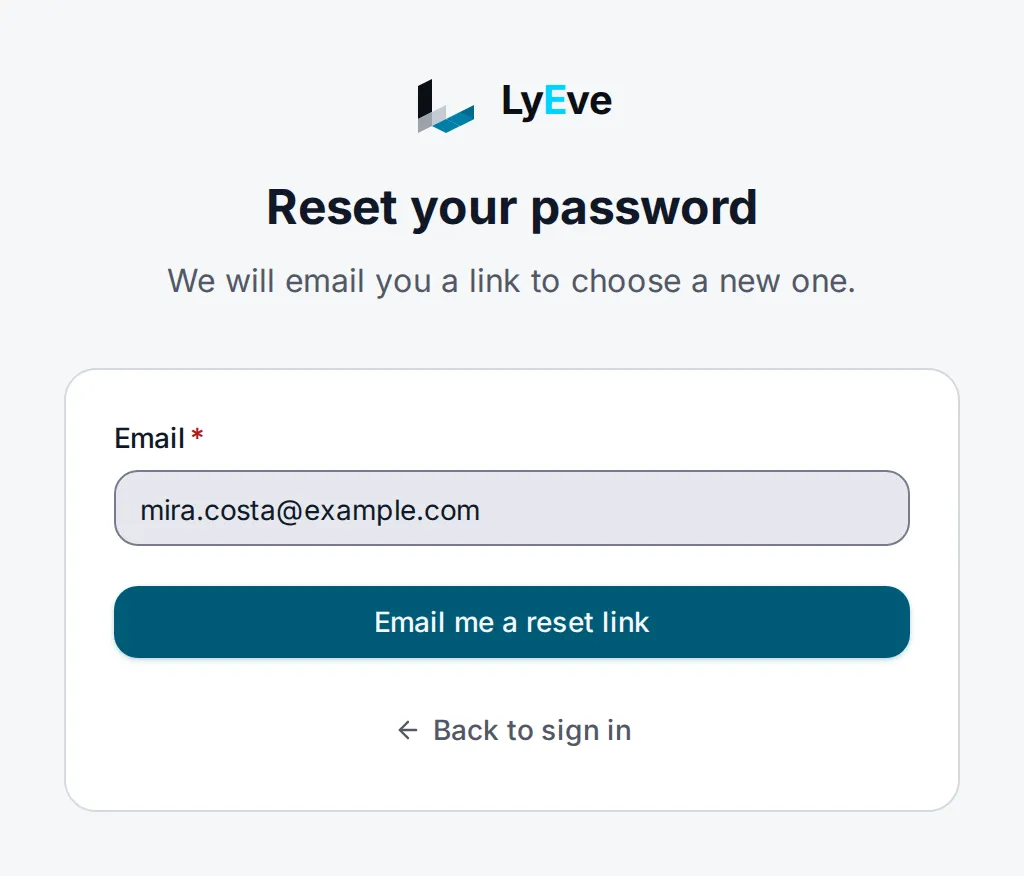
- Enter the account's address and choose Email me a reset link.
- Open the link from the email. On Choose a new password, enter the password in New password and Confirm new password, then choose Save.
The console checks that the password has at least 12 characters before it sends the token, so a password that is too short does not spend the link.
How it works
Section titled “How it works”| Step | What happens |
|---|---|
| Request | The console posts the address to /api/admin/auth/password-reset/request. The answer is the same, in about the same time, whether or not the account exists. A new request cancels the account's earlier unused links. |
The link <LYEVE_CONSOLE_URL>/reset-password?token=<token> is mailed. | |
| Confirm | The person chooses a new password of at least 12 characters, and the console sends it with the token. |
| Sign-out | Every session and refresh token the account held ends. |
Turn it on
Section titled “Turn it on”Password reset runs on every install. To deliver the email, give the instance
a mail relay. With the email feature configured, the mail goes
through it and is the tenant's password-reset template, so its wording and
design are yours to change. See required templates.
Otherwise the instance's own SMTP settings are used. Set
LYEVE_CONSOLE_URL to the address people open the console at, such as
https://admin.example.com. In production, password reset refuses to start
without it.
With no relay configured, a request still answers 200 and no mail is sent.
The server log records that a token was issued, with only its first eight
characters.
Try it
Section titled “Try it”Both routes are public and take no Authorization header.
-
Ask for a reset:
Terminal window curl -X POST http://localhost:3001/api/admin/auth/password-reset/request \-H "Content-Type: application/json" \-d '{"email": "you@example.com"}'{ "message": "If an account with that email exists, a password reset link has been sent." } -
Open the email and copy the
tokenfrom the link. -
Try a password that is too short. The token is not spent:
Terminal window curl -X POST http://localhost:3001/api/admin/auth/password-reset/confirm \-H "Content-Type: application/json" \-d '{"token": "<token from the link>", "password": "short"}'{ "error": "password must be at least 12 characters" } -
Set the new password:
Terminal window curl -X POST http://localhost:3001/api/admin/auth/password-reset/confirm \-H "Content-Type: application/json" \-d '{"token": "<token from the link>", "password": "a-new-password-2026"}'{ "message": "Password has been reset successfully." } -
Send the same token again. The answer is
400withinvalid or expired reset token, even when two confirms arrive at once.
Settings
Section titled “Settings”| Variable | What it does | Default |
|---|---|---|
SMTP_HOST | Mail relay host. Without it and without the email feature, no mail is sent. | unset |
SMTP_PORT | Relay port. | 587 |
SMTP_FROM | Sender address. | unset |
SMTP_USER, SMTP_PASS | Relay credentials. Both must be set to authenticate. | unset |
LYEVE_CONSOLE_URL | The console address the link points to. Required in production, where it must use https. | http://localhost:5173 outside production |
If you set LYEVE_PLUGINS, include password-reset in it.
Limits
Section titled “Limits”| Limit | Default |
|---|---|
| Link lifetime | 1 hour |
| Minimum password length | 12 characters, whatever PASSWORD_MIN_LENGTH says |
Reset requests per client address (password-reset.ip) | 10 per minute |
Reset mails per email address (password-reset.email) | 1 per 5 minutes |
| Request route, per client address | 3 per second, burst 5 |
| Confirm route, per client address | 5 per second, burst 10 |
A super admin can change the two named limits on the
rate limiting page. A request over the per-address mail
limit still answers 200 and sends nothing, so the limit reveals nothing
about the account. PUBLIC_RATE_LIMITS changes the two per-route limits.
Spent and expired tokens are deleted by a daily sweep. Deleting a tenant, or a privacy erasure, deletes them at once.
Errors
Section titled “Errors”Errors answer a JSON body with an error message.
| Status | Message | Cause |
|---|---|---|
400 | invalid or expired reset token | The token is wrong, expired or already used. Request a new link. |
400 | password must be at least 12 characters | The new password is too short. |
503 | password reset is not configured | LYEVE_CONSOLE_URL is not set. |
Every other error
| Status | Message | Cause |
|---|---|---|
400 | invalid JSON | The body is not JSON. |
400 | A validation error with a fields object | A field is missing, or email is not an address. |
429 | too many requests | Over 10 requests a minute from one client address. |
429 | rate limit exceeded | Over a per-route limit. |
Troubleshooting
Section titled “Troubleshooting”- No email arrives. Check that
SMTP_HOSTis set, or that the email feature is configured, and look in the server log forfailed to send email. - The link points to the wrong address. Set
LYEVE_CONSOLE_URLto the console's public URL. - Password reset is missing. In production it does not start without
LYEVE_CONSOLE_URL. The server log names the setting at startup.
Related
Section titled “Related”- Sign-in options: every way to sign in, side by side.
- Magic link sign-in: sign in from an emailed link instead.
- Email: send the mail through your provider.