LyEve Console
Users, roles and permissions
Every request LyEve receives answers one question first: may this caller do this? For a person, the answer comes from their role and, for content, the access rules written for that role. For a program, it comes from the credential it holds. This page says which credential to use, what each role may do, and how to manage accounts.
Which credential do I need?
Link to the section Which credential do I need?| Who is calling | Use | Sent as | Home page |
|---|---|---|---|
| A person in LyEve Console, or code acting for them | A session from signing in | The console's cookie, or Authorization: Bearer <token> | Quickstart |
| A site or app reading content | An API key with a role and scopes | X-API-Key: ly_... | API keys |
| A script or CI job on the Admin API | An admin token with grants | Authorization: Bearer lyat_... | Admin tokens |
| A service checking who a caller is | The public key, to verify a session token | GET /.well-known/jwks.json | Validate tokens |
People can also sign in through an identity provider or a magic link. See sign-in options.
A role is a name on an account. Three names have built-in meaning:
| Role | Reach | What it may do |
|---|---|---|
super_admin | Every tenant | Everything: users and their roles, access rules, sign-in providers, the license, tenants and every setting. Never limited by an access rule. |
admin | Its own tenant | Run the tenant in the console: content types, content, media, flows, API keys and its own admin tokens. On the Content API it needs an access rule like any other role. |
editor | Its own tenant | Create, change, publish and delete entries through the Content API, where an access rule allows it. A user created without a role gets this one. |
Any other role name is yours to define. It opens no admin route on its own, and reaches content only through the access rules written for it.
Manage users
Link to the section Manage usersA super admin manages accounts, in the console or through the Admin API from a signed-in
session. Roles are held per membership, so one person can be an editor in one tenant and an
admin in another.
Console v0.28.0
Open Access > Users. The list shows each account with its roles and the day it was created, and the role filters above it narrow the list.
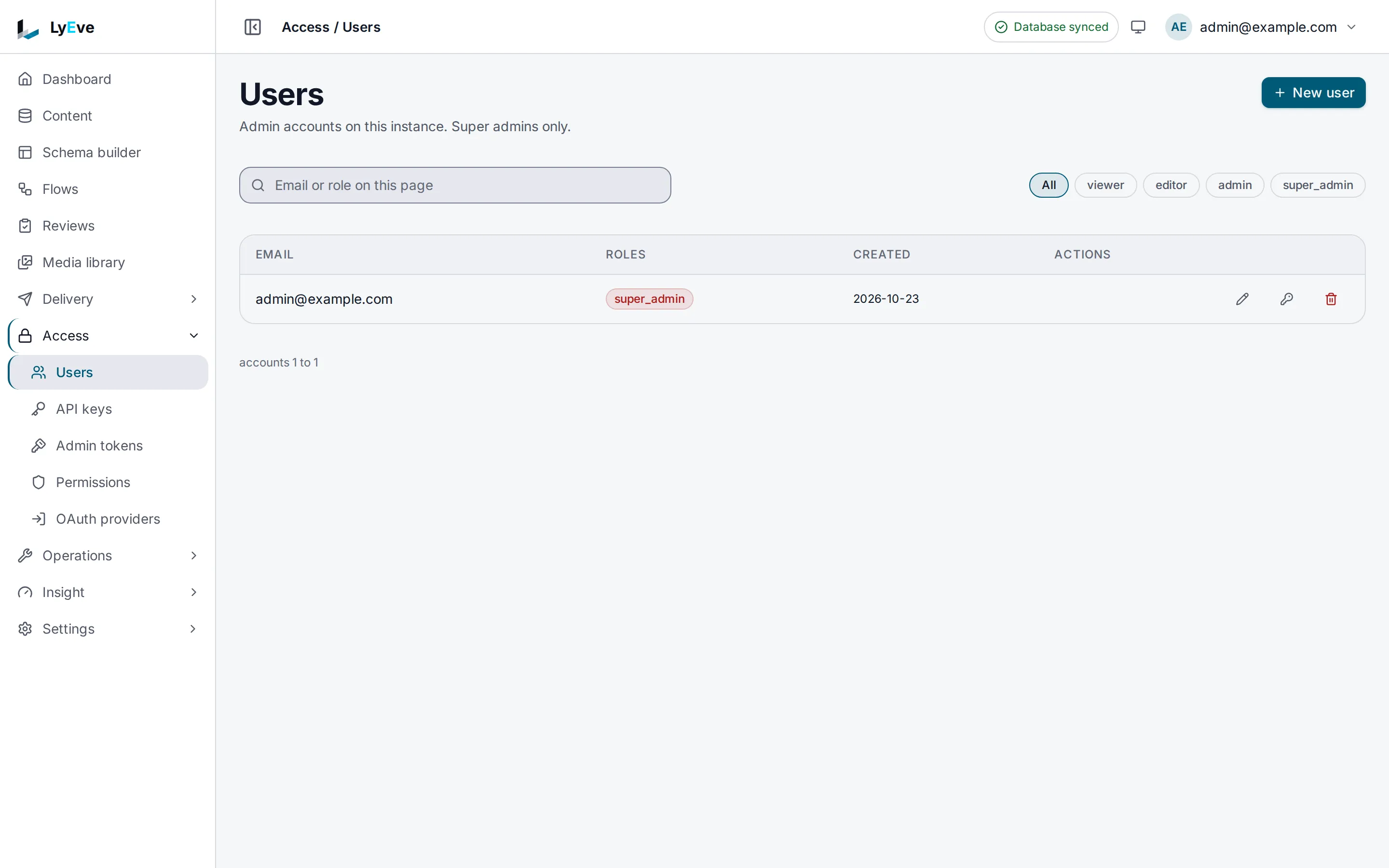
To create an editor:
- Choose New user.
- Enter
sam@example.comin Email and a password in Password. - Under Roles, untick viewer, which is ticked already, and tick editor. A user saved with no role ticked gets viewer.
- Choose Create. The account appears in the list with its roles.
Engine API v0.62.0
| Method | Path | Does |
|---|---|---|
GET | /api/admin/users | List users. |
POST | /api/admin/users | Create a user: email, password, roles. 201. roles is required and names at least one role. |
PUT | /api/admin/users/{id}/roles | Replace a user's roles: {"roles": [...]}. |
PUT | /api/admin/users/{id}/state | Disable or enable a user, or set an account expiry: disabled, expires_at. |
PUT | /api/admin/users/{id}/password | Set a new password. It has to meet the password policy, and every session the user held ends. |
DELETE | /api/admin/users/{id} | Delete a user. 204. |
GET | /api/admin/users/{id}/memberships | List the tenants a user belongs to. |
PUT | /api/admin/users/{id}/memberships | Give a user membership of a tenant. |
DELETE | /api/admin/users/{id}/memberships/{tenant} | Remove a membership. |
Create an editor:
curl -X POST http://localhost:3001/api/admin/users \ -H "Authorization: Bearer $TOKEN" \ -H "Content-Type: application/json" \ -d '{"email": "sam@example.com", "password": "Editor-Account-2026", "roles": ["editor"]}'The answer is 201 with the user and "roles": ["editor"]. A request with no
roles, or an empty list, creates nothing and answers 422 with the code
VALIDATION_REQUIRED: there is no default role.
The password must meet the policy: by default at least 12 characters, with an upper-case letter, a lower-case letter and a digit, and not a common password.
A free install holds three admin seats: accounts with the admin or
super_admin role, counted across every tenant. Creating a fourth, or giving a
fourth account one of those roles, answers 402 with cap_exceeded until a
license is in force. Access rules cover three roles until a license carries
rbac-pro. See
licensing and tiers.
super_admin and the tenant boundary
Link to the section super_admin and the tenant boundaryThe difference between a tenant admin and a super_admin is the most
important boundary on an instance with several tenants.
- An
adminworks only inside the tenant its session belongs to. AnX-Tenant-IDheader has no effect on its requests. - A
super_adminmay act in any tenant by sendingX-Tenant-IDwith the tenant's slug. A slug that names no tenant answers404withtenant not found. - Deleting a tenant, managing users, writing access rules and configuring
sign-in providers take
super_admin.
Treat super_admin like root and give it to as few people as possible. See
tenants.
How access is checked
Link to the section How access is checked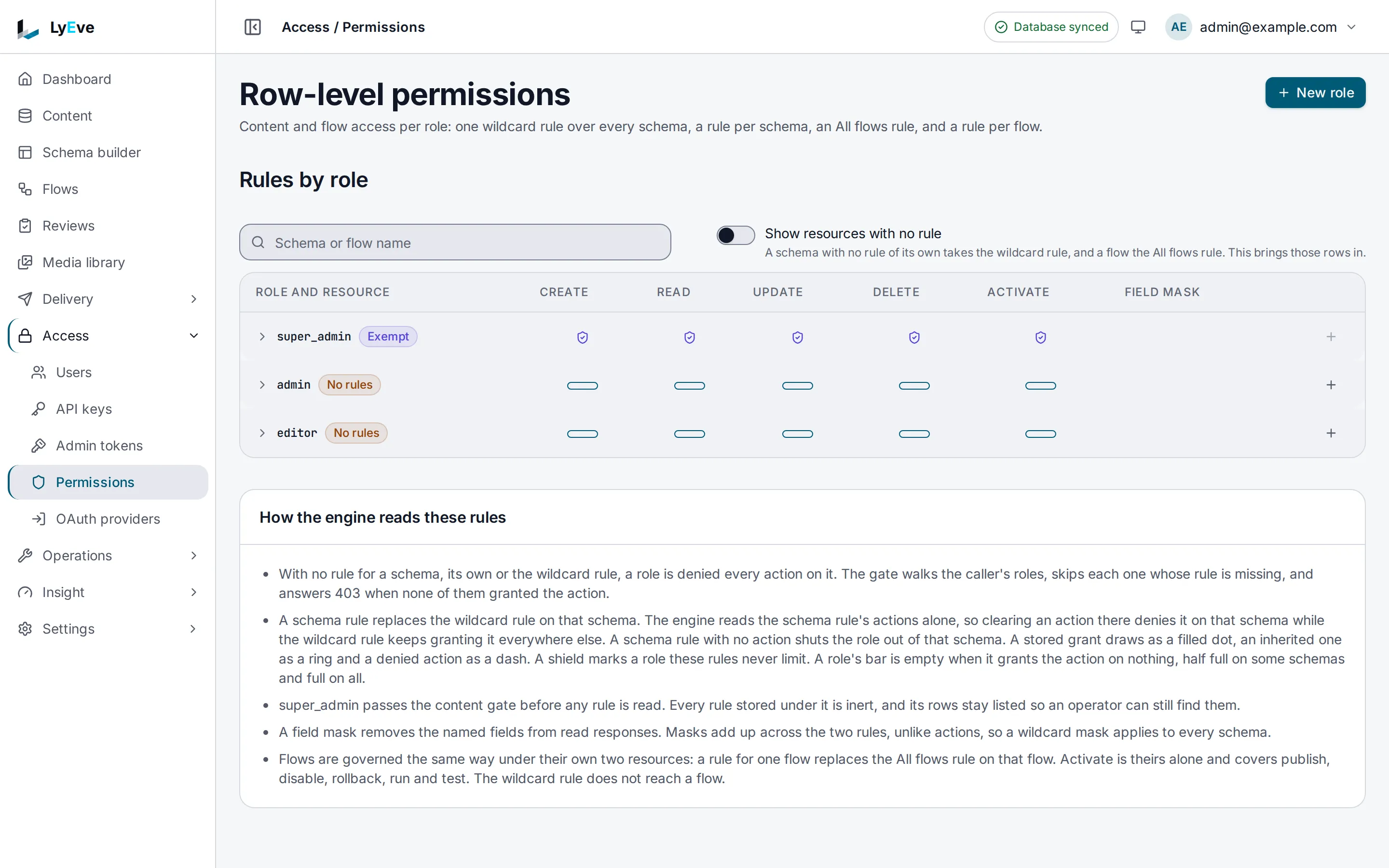
Every request goes through the same steps, in order:
- Who is calling. The session, the API key or the admin token becomes a
caller. No valid credential answers
401. - The route's role. Each route is public, open to any signed-in caller,
or limited to
adminandsuper_admin, or tosuper_adminalone. A caller without the role answers403. - The tenant. The request is held to the caller's tenant, or to the
tenant a
super_adminnamed. - The credential's own limits. An API key needs the scope the route needs. An admin token needs the grant the route declares.
- The access rule. On the Content API, and on flows and reviews, the caller's roles need a rule that allows the action. An API key is judged by the roles it carries, so a key with no role reads no content.
401 means "I do not know who you are": fix the credential. 403 means "I
know who you are, and you may not do this": fix the role, the rule, the scope
or the grant.
Practical guidance
Link to the section Practical guidance- Grant the narrowest role that works. Keep
super_adminfor the people who need every tenant. - Write access rules before you add editors. Without a rule, an editor can sign in and reach no content.
- Give programs their own credential. A key or a token is logged and revoked on its own, and a shared account is neither.
- Set an expiry on every key and token. A credential that has to be rotated cannot linger forgotten.
Related pages
Link to the section Related pages- Access rules: write and combine rules.
- API keys: credentials for the Content API.
- Admin tokens: credentials for scripts on the Admin API.
- Harden your instance: the settings a production instance needs.